Normally I just focus on Mac and iPhone tech. However I ran into this problem yesterday and spent hours looking for a solution so I thought this would be a good time to help out our Windows friends who use iTunes and haven't made the jump to Mac just yet.
Yesterday I looked at a computer running Windows 7 and iTunes 9 that could access the iTunes store but would fail when trying to login to iTunes with an Unable to connect to iTunes (-9812) Error message.
This particular error has a very quick fix that works for Windows XP, Windows Vista, and Windows 7. The SSL connection to the iTunes store is failing due to a bad certificate. Just goto http://www.microsoft.com/downloads/details.aspx?FamilyID=f814ec0e-ee7e-435e-99f8-20b44d4531b0&displaylang=en and download the May 2009 Root Certificate update and the bad certificate will be replaced with a good one and you can just restart iTunes and login to your account.
Showing posts with label iTunes 9. Show all posts
Showing posts with label iTunes 9. Show all posts
Friday, January 8, 2010


Subscribe to:
Posts (Atom)
Apple TV
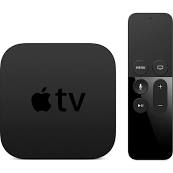
The more I use the new Apple TV the more I like it. The previous model was likable and easy to use but we had no options for live content. N...
-
 My consulting business has been growing and people are starting to ask if they can pay by credit card. I had a system I setup in 2012 but o...
 -
Normally I just focus on Mac and iPhone tech. However I ran into this problem yesterday and spent hours looking for a solution so I thought...