Showing posts with label iPhone. Show all posts

Monday, September 30, 2013

Trouble with iMessage, FaceTime or Push Notifications?

There have been some anecdotal reports online that have indicated issues with iMessage on iOS. Below I have a few fixes that may correct the problem. I ran into this personally with one iPad and one iPhone in the last few weeks. Both times I had to resort to deactivating and reactivating. 

Some users have reported that turning their iOS devices off and back on fixes the problem, while others indicate that the solution has not worked for them. In testing with my devices experiencing difficulties, the following steps didn't fix the issue but could and are simple: 

1. Turn off iMessage in Settings > Messages 
2. Reset networking settings in Settings > General > Reset 
3. Reenable iMessage in Settings > Messages 

iMessages do not appear to be failing back to SMS when this happens either. They just eventually appear as a failed to send in iMessage. Or if it is right after an update awaiting activation will appear in the iMessage and FaceTime System Preferences panel. 

If these procedures above don’t work. Download Red Sn0w to your computer and perform the following steps:


1.) Connect device via USB cable
2.) Open RedSn0w
3.) Click on Extras
4.) Click on Even More
5.) Click on Deactivate
6.) Phone will show activation screen again. Open iTunes on the computer
7.) iTunes should detected the device and attempt to activate it. 
8.) Device will reactivate with new tickets and Push, iMessage, and FaceTime should go back to normal. 

Hopefully this should resolve any issues you may have with iMessage or FaceTime. 

Wednesday, July 3, 2013

Air Display Review

AirDisplay is a great app if you are looking for an extra screen while you are working on your laptop.  AirDisplay can even turn a users Macbook into an extra display for an iMac. However if you are running an older Macbook Pro with Nvidia graphics there are some known issues with the graphics driver that can cause the device to not be able to drag and drop files etc. until the user has disabled Air Display.

AirDisplay costs $19.99 and is available on the iTunes store for iPad and iPhone. The software that installs locally on your Mac is free and instructions for where to get the software and how to install it are included in the AirDisplay app.

Once the app is installed on the iOS device and on the Mac they auto detect one another as long as they are on the same network and connect. Once that is completed users can open Display Preferences to decide which side to place the extra display on. The touch screen still reacts like normal on the iOS device. If the user has an application with tool bars like Photoshop it is a convienent control surface. Reach over tap the tool you want and return to work without having to move the mouse to the other screen.


I recommend using the AirDisplay app while plugged into external power to preserve the battery on the iOS device. This is a great application that grants road warriors a second screen while on the go or a convenient extra screen while working on a desktop.

With AirDisplay and Mavericks in the future a user could have a multi screen laptop completely wirelessly. The main laptop screen, a second iOS device screen with control surface and an AirPlay Display hanging on the wall. The flexibility becomes limitless.

For the $19.99 price tag AirDisplay is the best among the remote screen applications and well worth the investment.

Saturday, June 29, 2013

iShower Reviewed

The iShower from iDevices is probably one of the handiest devices I have ever reviewed. The first unit I tested was faulty and had to be replaced after a few weeks but iDevices RMAed it for me right away with no problem. In the few days I didn’t have my iShower it just wasn’t as much fun to take a shower. This device pairs with up to three devices over bluetooth and has a long range. It worked over 50 feet away from my phone and I got great sounding music. The iShower is water resistant, not water proof it can’t be submerged but it can hang in the shower or be placed pool side. The device can hang from a provided hook or be held by a fold out handle. Pairing the first device I found to be a little confusing but once I got it working the operation of the device was simple.


 The iShower will display the time if the clock button is pressed or the volume adjusted so you won’t be late getting to work if you start rocking out to music in the shower. The buttons are large and easy to operate with play/pause, forward and back in the middle and the up down volume on the bottom right of the device. I leave my iPhone on the dock in the morning to continue charging and when I turn the shower on I press power on the iShower and play to start whatever music or podcast I was most recently listening to the night before.

 The iShower runs on four AA type batteries and seems to have a relatively short battery life in my testing. After the first set of included batteries I switched over to rechargeable batteries. When a phone call is coming in the music will pause to alert you of an incoming call. The iShower doesn’t play the ring of the caller but if you happen to be close enough to your phone to answer it you can probably hear the ring anyway. As soon as the call goes to voicemail play back automatically resumes.

 What could be added to make the iShower more useful and fun? First better battery life and possibly a rechargeable battery system to save on replacing batteries and by switching to non replaceable batteries remove one more point water could leak in. I think a microphone and Siri button would be useful as well for those that have voice activated smart phones. Being able to change playlists or artists while in the shower would be fantastic. Caller ID display would be nice on the display as well so you can decide if you want to jump out of the shower to grab that important call.

 Overall the iShower from iDevices is a great device and I would recommend it to anyone who is a music lover and has a bluetooth device to play music. After my shower I can pause the music and pick up where I left off when I get in the car.

The iShower is $99 dollars and is available through http://www.ishowerin.com/ or from Amazon for $89 dollars. 


Nothing starts the day better than rocking out to some tunes in the shower and showers make everyone an excellent singer.

Sunday, January 27, 2013

The Value of AppleCare Plus

I have mentioned this before both on the podcast and in a number of Mac User Group meetings I have spoken at in the past. I do feel the need however to post about this again this week for reasons that will become abundantly clear in a moment.

AppleCare plus for your iOS devices is a must have for people on the go that rely on their devices. For $99 users get two years of coverage against device defects and against accidental damage. Let messy that one more time for emphasis. If you accidentally damage your device apple will replace it for $49 dollars. For the two year coverage of the device if you drop it on the ground and it breaks or if it falls in water Apple will replace the device for $49.

I just happened to be talking to a friend last Monday about AppleCare and stated I never really use it in the six years I have carried an iPhone or the three years I have carried my iPad. The very next day my phone slipped out of my hand and fell on its edge on a concrete parking lot. The result was disastrous.


After getting over the initial shock and surprise I didn't worry about it. I just picked up my phone opened my Apple Store app and through the cracked screen booked an appointment with a genius. I went right up to the store on my way home and they swapped it out in about twenty minutes. I paid for my replacement and bought a case to make sure it doesn't happen again. As soon as I got home I restored my phone from my iCloud backup and within about four hours of breaking my phone I was back in business and no one would have known it even happened if I had not posted it on Twitter.

Finally a few years ago I had my trusty 2007 MacBook Pro that was my primary computer. In the three years I owned the machine it went back for service for a few issues. One was a recall for a bad graphics chip, next a bad battery, later another motherboard for a different issue, then a broken lid latch that was keeping my machine from closing. Finally one night the hard drive started acting up so I Carbon Copy Cloned my hard drive to an external and booked an appointment.

Due to the number of issues I had experienced with this one machine Apple opted to replace my computer with a brand new 2009 MacBook Pro. Thanks to my AppleCare warranty I got a new machine and immediately bought a new warranty. Laptops and handheld devices go with us everywhere and sometimes take a beating. Again I can't stress enough the importance and peace of mind The AppleCare plus warranties bring for someone who constantly relies on technology for daily life.

Sunday, November 4, 2012

A Little Something to Share Event

Apple sent out invites to the press and in an atypical move decided to live stream the event. I certainly hope they continue to do this going forward. It makes it much easier for me to cover as a blogger. They started with the numbers. More than 5 million iPhones were sold on opening weekend. Over 200 million devices are running iOS 6, making it the fastest upgrade rate in history. Over 125 million documents have been uploaded and stored in the cloud in the last year. iMessage users have sent 300 billion messages in the last year. Currently iMessage averages about 28,000 messages per second. Over 70 million photos shared with Photo Stream sharing. Finally in the area of numbers Mac has out grown PC for six straight years. Apple now has the number one desktop and the number one notebook computer in the US. Apple has also been rated number one in satisfaction and reliability. In new news Apple is releasing a new version of iBooks for the iPad. In addition to the traditional page turn they have now added a continuous scroll option for those who would prefer vertical scrolling. Ties to iCloud have been improved with better bookmark syncing and the ability to update books. Also with new social media features quotes can be shared with Twitter and Facebook. iBooks also now has support for 40 languages. Also iBooks Author has been updated with additional themes and the ability to embed fonts. Apple started with revving the 13” Macbook Pro dropping one pound of weight, adding dual microphones, dual Thunderbolt, and USB 3 ports. Also adding a Retina Display to the line up and tossing in an HDMI port. Now apple has two Retina Display notebooks in the lineup making them both the highest resolution laptops made. The 13” display has a resolution of 2560x1600 with four times the pixels as the previous model. The new display has a 178 degree viewing angle, and with the new laminating process glare is reduced by 75%. The 13” comes with an Intel HD Graphics 4000 integrated graphics card and no discrete graphics card like its 15” sibling. The new 13” has shed some weight, thickness and the optical drive. The updated Mac mini gets the Ivy Bridge architecture with an Intel HD Graphics 4000 card, USB 3, up to 1TB hard drive or 256GB of Flash storage, and Bluetooth was upgraded to 4.0. Entry price $599 and the server version is $999 with 2 1TB hard drives. The Mac mini is the most energy efficient desktop made today. The iMac is truly a thin, fast, and drool worthy machine. Sporting an incredibly thin 5mm edge and utilizing a process called friction stir welding to fuse the back and chin of the machine together. Friction stir welding is apparently a method used in aero space, and other industries. Also by making the screen thinner and removing the air gap between the glass and the LCD panel improves color, reduces glare, and makes the over all image look better. To top it off Apple is now color calibrating each individual panel in the factory. Finally they have added dual microphones to the iMac for beam forming. The system supports up to 32GB of RAM and up to a 3TB hard drive or 768 GB of Flash. The Apple Fusion Drive is a build to order option on the new iMac. It pairs a 128 GB Flash drive and 1 to 3 TB of spinning storage to take advantage of the speed gains of SSD while keeping the large capacities of traditional hard drives. There is some software magic going on under the hood with this device. According to Apple Mountain Lion evaluates and moves programs and data between the flash storage and the hard drive to optimize performance. According to the benchmark numbers the Apple Fusion drive is only slightly slower than an SSD alone. Hopefully it will be nothing like the disappointing hybrid drives we have seen from Seagate. Finally even with more power and a brighter screen Apple has managed to reduce the power consumption of the iMac by 50%. 100 million iPads have been sold since the launch of iPad in 2010. 2,500 schools are using iBooks in their curriculum as replacements for standard text books. Over 80% of the High School Core curriculum is now available on iBooks. Apple introduced a minor update to iBooks Author to include embedding of fonts, new templates, a mathematical expressions module and multi-touch widgets. The iBooks app itself now includes updates so books can be updated after they have been downloaded to a device. In a stunning move Apple introduced a 4th generation iPad just seven months after the launch of the retina iPad 3rd generation. With a beefed up A6X CPU, improved graphics chip, FaceTime HD Camera, expanded LTE capabilities, improved wifi performance using MIMO, and sporting the new compact lightning connector. It doesn’t seem like a huge update just an incremental change mostly aimed at getting rid of the aging dock connector. The new 4th generation iPad is priced at the same price point as the previous iPad. Also new adapters were announced a USB, Secure Digital, HDMI, and VGA to lightning connectors. No surprise at all is the new iPad Mini. With an all new design it is as thin as a pencil and weighs the same as a pad of paper at .68 lbs. LIke the iPhone it is available in white/silver or black/slate. It is a 7.9” diagonal screen with a resolution of 1024x768. It is the same pixel count as the iPad 2 in a smaller form factor. This is a 162 pixel per inch display which isn’t quiet retina. It seems strange as Apple pushes retina displays into every product the newest one is missing a retina screen. It is also interesting they didn’t take the opportunity to make the Mini-iPad a 16:9 screen. It was never mentioned if either of the new iPads contain beam forming microphones to improve performance of audio pickup for Siri and dictation. All new Apple products in the handheld or tablet categories are at least coming with Siri.

Sunday, October 14, 2012

iPhone 5 in The Real World

I have now been carrying an iPhone 5 for several weeks now of real world work and reading the evaluations of others. First of all as Apple is prone to hyperbole when promoting its products and Apple users tend to have very high expectations and Apple critics tend to be hyper critical. This tends to create an echo chamber of comments that exacerbate complaints that have merit and create ones that don’t. Just the other day I was in a local electronics store and listened to the sales girl behind the counter tell a customer she didn’t want to trade up an iPhone 3Gs to an iPhone 5 because the maps were terrible. This customer had an investment in apps and the sales person was pressing her to look at other phones. I asked the sales girl. Have you used an iPhone 5 yet? She told me honestly no, everything she was sharing was just what she heard. I pulled my phone out and showed them how it worked. Once the sales girl actually held my phone and played with it a little she changed her tune. Now the customer still couldn’t buy the iPhone 5 because the store didn’t have any in stock which likely had more to do with why the sales girl was steering this person away from an iPhone 5 than anything else. Maps PastedGraphic-2012-10-14-15-05.pngMaps should not have been advertised as the best mapping system ever. It is a good mapping system don’t get me wrong and I have been using it for weeks, using my car navigation, Google Maps, and Apple Maps together. So far in both cities I have tested it in the mapping system and turn-by-turn works fine in the areas I tested. The integration with Siri makes it easier to get direction and it seems as though the iPhone 5 uses far less power when giving turn-by-turn directions. The mapping system also includes a report a problem button on the settings page. If a user fiends a problem they can report it and it will be fixed. A week after launch Tim Cook issued an apology for the issues with the iPhone maps suggested a few alternatives for users while Apple Maps is being worked on. Apple has acquired several companies and worked years on this new mapping system. It will improve over time. I think most users complaints stem from becoming so dependent on mapping apps on our devices. We need it to work, work well, and work every time. The 3D features are stunning and the 3D renderings of building footprints is helpful when navigating. The other huge loss was mass transit direction built into Google Maps. When requesting mass transit directions Apple Maps lists the apps that have the information and allow you to download and install them. The best feature has to be the information card that includes Address, Phone number, and Yelp information with beautiful photographs and subtle Tim Burns effects and dissolves making the cards feel elegant. Battery Life PastedGraphic1-2012-10-14-15-05.pngFor the first few days with my new phone it seemed like the battery didn’t perform as well as my older phone. That could have been due to using it more as I explored the new features or older apps needing upgrades to make it work well with iOS6. It could also have been due to the lack of lighting cables available to charge the iPhone. I heard reports of people who said they had gone two days without recharging. I never got that kind of life with my iPhone 4 but I could make it through a normal usage day if I recharged while at my desk or used a Mophie Juicepak when charging times are not available. Now with extra cables lying around and recharging at random intervals when I am not using my iPhone it seems as though I have plenty of battery power now. It will still be nice to have a Mophie Juicepak again when Mophie makes one for lightning connectors. Scratches People have been testing phone by scratching them with keys dropping them etc and with mixed results. I haven’t put a case in my phone, I just put it in my pocket and get it when I need it. So far I haven’t had any scratches or scuffs. Their have been a number of reports of nicks in the aluminum from drops exposing the natural aluminum under the anodized coating. We carry these devices with us more than just about anything else and it is bound to get scratches and scuffed over time. The iPhone also looks like a piece of art and we want to protect it and keep it looking nice. So far it has been durable and I have no complaints in that area. Dock connector PastedGraphic2-2012-10-14-15-05.pngDropping the 9 year old 30 pin dock for the 80% smaller 8 pin lighting connector to me isn’t about obsolescence or making us buy more devices. After all most of the dock items that are sold are sold by third parties and not Apple. I believe this was a technology decision to make the devices thinner and more user friendly by making the cables reversible. With all of the options to sync wireless, use airplay, iCloud we have plenty of ways to get data on and off our device and the lightning connector is mostly for charging. It is however digital and we might be surprised with what we see come from lightning in the next few years. Speed PastedGraphic3-2012-10-14-15-05.pngBetween the 5 Ghz 802.11n, the faster CPU, and LTE wireless, this is by far the fastest smart phone I have ever used. Page loads are faster, apps open faster, it is a pleasure to use. The iPhone 5 feels so much more responsive and capable I have tried things with it I haven’t attempted before. On Oct 13th I gave a presentation at the Las Vegas Mac Uses Group delivering the presentation from my iPhone. Using an Apple TV hooked up to the projector I was able to deliver a full keynote presentation right from my phone. To demo features of iOS I would occasionally drop out of the presentation and show the mirrored desktop. Walk users through a feature and then quickly jump back into my presentation right where I left off. This is an impressive feat for any smart phone and unthinkable just a few years ago. Camera PastedGraphic4-2012-10-14-15-05.pngIt is the best smart phone camera I have used and with each iPhone has gotten progressively better. Panorama’s are simple to shoot just tap on options and choose panorama from the camera app. When shooting video simply tapping on the camera button while recording let’s you take great stills at the same time. No more choosing between shooting video or taking still photos. The resolution is now equivalent to my aging DSLR and since the iPhone is always with me it is now the only camera I regularly use. Overall we have come to expect a lot from Apple products and when we feel Apple didn’t deliver we don’t just feel let down as users. We seem to experience betral and that leads to the negative press the iPhone 5 has gotten. Despite the naysayers iPhone 5’s are flying off the shelves and millions of users are happy with their device. It is no more of an evolution than a revolution but the devices is more useful and more capable than all the ones before it. If you are using an iPhone 4s it is a good phone. Wait for your contract to end and upgrade. If you are using an iPhone 4 or older this is a massive upgrade. In two years when the iPhone 7 is out I am sure those of us who enjoy our iPhone 5 today will be ready to upgrade.

Monday, January 2, 2012

Lark Un-Alarm Clock

For the last couple of weeks I have been testing out the Lark Un-Alarm clock. This alarm clock consists of an iPhone app, a sensor and a wrist strap. Before going to bed simply pull the sensor from the charging dock, slip it in to the soft wrist band, open your iPhone app and set what time you want to be woke up. That is all there is to it for the alarm function. The advantage for those users who are not single it provides a silent alarm for waking you without disturbing your partner. I get the feeling this will be a popular gift for people who have to wake up early when they have a partner who doesn’t.


The sensor vibrates at wakeup time using a random pattern so you do not get used to it. Once you are awake just grab your iPhone and slide to turn off the alarm. Don’t worry if you are conceded you might take the Lark off in your sleep. The alarm has a backup audible alarm that causes your iPhone to emit soothing sounds to ease you back to consciousness if you do not turn off the vibrating alarm in a certain time period.


One you turn off the alarm is where the Lark starts getting cool. The Bluetooth connection between your phone and the Lark sensor allows the Lark to upload information to your phone to tell you about how you slept. How long did it take to fall asleep? How many times did you wake up in the night? How many hours of sleep did you get? All of this information is recorded and stored in your phone. The when and how much you moved about is displayed on a graph at the bottom of the screen. So users can start building a history of their sleep patterns.


I didn’t sign up for the sleep coach since it was an extra $60.00 and I apparently am already a pretty good sleeper.


My first night with Lark wasn’t quite successful I didn’t realize for the device to monitor your sleep patterns you must setup a wake up time. So for those that like to sleep in on the weekends until your eyes roll open it will not track how you sleep on those nights. By the second night I set an alarm time which I woke up before I reached but because I spent a sufficient amount of time sleeping the Lark sensor uploaded my sleep information to my iPhone and told me about my quality of sleep. I was surprised to say the least at how the software evaluated my sleep and said I slept well. I always imagined I had difficultly sleeping but apparently I do not. I fall asleep fairly quickly and wake up several times in the night most of which I never even remember.


I have not been able to find technical details on how the sensor works. Based on it’s size and the sleeve it fits it in the wrist band I believe that it is an accelerometer that measures movement to determine if you are asleep or not.


So for the $129 price tag it is a worthwhile purchase if you have a partner who isn’t on your sleep schedule. However for me it seems just to be a high priced toy. The second downfall of this device is if you want the Sleep Coach it raises the price another $60.00. The sleep coach should just come with the device for the $129.00 price point. This is an expensive alarm clock when your smartphone or iPod Touch sold separately provides most of the intelligence. It is an interesting device and it is fun but I just can’t justify the $129.00 price tag. If you or your partner has to get up much earlier then it is a worth while investment.


Thursday, February 17, 2011

Hulu Plus, Netflix, and iTunes replacement for cable?

After a few months of testing I can say I have a pretty good feel for Hulu Plus. First the application runs fine on the Mac, not quiet as nicely as Netflix with its Silverlight technology and ability to run in full screen on an extra monitor while you work on other monitors, but it runs fine if you are just looking to watch TV on your Mac. The iPad and iPhone applications are fantastic for watching TV shows while you are mobile. The picture quality is a little lower on 3G but still watchable.

For comparison I tried Hulu on the Mac, iPad, iPhone, and PS3. The PS3 was just a bad experience. Every time a software update comes out Hulu gets stuck on the login and will not open completely or close to allow the user to update without holding down the power key and rebooting the PS3.

On the iPad and iPhone It is a completely different experience. Just tap the app and you are ready to watch TV. The search is a little non-intuitive and new full episode availability is still limited. The older series library is growing constantly allowing viewers to revisit old favorites or even discover old series they missed for the first time Recently some content has starred showing up as web only not allowing it to be viewed by anything but a Mac or PC. Since there is a $7.99 a month subscription fee i should be able to watch any content on any device I own. That has been a problem for several shows I watch.

At $7.99 a month for Hulu it isn't a bad deal if you want some TV on demand or your DVR missed a show, but I am not throwing out my satellite TV just yet.

Netflix is another TV / movie on demand service with a large selection of movies and a $7.99 a month streaming only option. The system recommends movies based on what you watch and how you rate movies. It is easy to discover movies you may never have heard of before. Or if you happen to be at home and in the mood to watch a movie you can just flip through and find something without having to go out of the house or buy a movie from the cable or satellite company.

Netflix on the Apple TV, iPad, and iPhone are great experiences. Again on the PS3 the User Interface changes every time you sign in making it a little confusing to use. I keep hearing that Netflix is trying to find the right UI and getting feed back from customers on the three leading ones. My recommendation is let us choose which one we want to use and don’t assign a random one.

While Hulu is focused on TV Netflix is definitely focused on feature length movies and a few older TV series on DVD.

Netflix will also for an extra dollar a month will mail DVD's to you. The entire catalog isn't available for streaming yet but, Netflix CEO Reed Hastings says they plan to have the entire Netflix collection online in the next year and sees an end to mailing DVD's in the not to distant future.

iTunes has come a long way since it’s early days of just syncing the iPod. Adding a music store, a movie store, and a TV shows in addition to the app store. iTunes became one stop shopping for programs and content. In the early days we could only purchase content which was a little expensive for just watching a movie. Later they added rentals and HD content. Now with the Apple TV2 renting movies is simple and competitively priced with cable and satellite. The 720p HD stream looks great and it is most of all totally convenient. The only thing Apple is missing now is a subscription service to let you watch all the movies and TV’s you want for a low monthly fee. Maybe a few content deals from networks and we could see competition with cable and satellite. I don’t think that is likely to happen since most of the networks own cable companies as well. It would be good for consumers as it gives us choice. What is more likely and will be slow coming is independent content creators will start making their own deals and getting themselves into iTunes, Hulu, and Netflix and start making the big production companies and cable networks less relevant. Much like the Internet has given everyone a voice to share content they have created we could see the same thing come to streaming services in the future. This would give consumers more choices and more diverse content, give advertisers a less expensive medium to get the word out about their products and give us access to content anywhere, anytime, anyplace.

For the providers of content it is time to get on board with streaming from iTunes, Netflix, Hulu, or even your own app that is available on multiple platforms. Just last season my DVR had an issue and stopped recording a series I watch. I didn’t notice until the end of the season and missed several shows. Not wanting to get lost in the story I stopped watching and started looking for the season once it ended. It isn’t available in any streaming format and is coming out on DVD but really not worth me going out of my way to get it and to buy it. So the network just lost a regular viewer due to a technical glitch and their inability to make the show easily available for me to catch up and resume watching on my DVR.

So I am not quiet ready to give up satellite TV yet but Netflix, Hulu, and network TV apps that deliver content to any digital device might make a compelling argument for leaving cable behind. Particularly for road warriors who are on the road frequently and don't always get a chance to watch their favorite shows.

Monday, September 6, 2010

iPods, iOS, and AppleTV Oh My!

Apple-Media_Event_September_2010-2010-09-6-18-30-2010-09-6-18-30.jpgThis past Wednesday Apple made their September music announcement at the Yerba Buena Center in San Francisco. In typical Steve Jobs fashion this presentation was a three act play. First getting, the numbers out of the way quickly, he announced Apple retail is doing well with 300 stores worldwide. The second stores in China and France just opened to huge fanfare as well as a new store in London. Ten countries now have Apple Stores and soon to be eleven with a new store opening in Spain. Some days these Apple Stores are seeing over 1 million visitors in a single day. Over 80,000 one to one classes are being held every week and over half of the new Mac buyers are first time buyers.
The First Act of Steve’s three act play was to discuss iOS. Over 120 million iOS devices have been shipped since the iPhone was introduced in 2006. Currently Apple is activating 230,000 iOS devices per day. These devices have downloaded 6.5 billion apps from the app store, about 200 apps per second. This week Apple will be rolling out iOS 4.1 for iPhone and iPodTouch. The new version fixes issues with the proximity sensors solving problems users have had when holding the phone up to their face. This release is also correcting issues with Bluetooth connectivity. Also some enhancements have been included to solve some iPhone 3G performance problems. I have been running this for the last week on my iPhone and the Proximity Sensor is fixed. I haven’t noticed any issues with my bluetooth so I will have to talk to some other people on that. I have heard online that 3G performance improved a little bit.
Some new features that have been added to iOS 4.1 are HDR (High Dynamic Resolution) photos. This is the first camera phone to support this feature. Only a few pocket cameras have even started including this technology. When you shoot a photograph where you have sky and shadow a normal digital photo will blow out the lighter part of image and the dark parts will just show as black. With HDR the camera will take three pictures quickly one with the exposure it thinks is correct and one an F-Stop higher, and another an F-Stop lower. Then the software will blend the three images to create a single photo that displays all three images in a balanced way revealing details that couldn’t be seen before. This is an exciting new technology and one that, in my testing, I have been impressed with.
HDR doesn’t work with action shots or where the scene is changing rapidly and parts of the image that are in motion while photos are being taken tend to blur. So if you are taking pictures of moving people or objects turn HDR off. If you are shooting a still scene or one with little motion by all means use it.
Apple has no added the ability to upload HD videos over WiFi so now you can shoot, edit, and upload video to You Tube right from your iPhone. TV Show rentals have also been added to the iTunes Store on the phone. So if you are heading out for a flight, or to catch a train and you missed last nights episode of Eureka you can rent it right on your phone and watch it on your trip.
We also now have Game Center, a social gaming platform for the iPhone. Currently the iPod Touch has over 50% of the portable gaming market and this coupled with the Unreal Game engine coming to the iPhone this winter is just going to grow that gap even further. Now people can challenge their friends and see what they are playing online through the Game Center app or in any Game Center enabled game. Game Center is on the iPhone, iPod Touch, and later this fall the iPad.
iOS 4.1 for the iPhone and iPodTouch will be available later this week.
Apple also gave us a sneak peak at iOS 4.2 coming in November. This will bring multi-tasking, Game Center, Folders, HDR photos, message threads, unified inbox, and wireless printing to the iOS. I have head other people commenting this must mean that iPad is getting a camera. While I have no doubt Apple will someday add a camera to the iPad I wouldn’t look for it before next April. I believe iOS 4.2 just brings iOS for the iPhone and iPad together so they can start releasing one OS for both. iOS 4.2 will give us printing from our iPad and iPhones, so if you wish to print a document just click on Print, and tap the Bonjour printer in range you wish to print your document on.
iOS 4.2 is also going to bring us a new technology called Airplay. Airplay will allow us to stream movies, TV shows, or music from our iOS device to an Apple TV but more about that a little later.
In Steve’s second act he announced their have been over 275 million iPods sold and an entirely new line of iPods are being introduced this week. The shuffle got its click wheel back and kept voice over and its clip to make it wearable with 15 hours of battery life and comes in five colors for $49.00. He never said in the keynote but I assume it is still 1 Gig of storage. The iPod Nano gets a total facelift making it nearly half the size and weight. Apple did away with the click wheel and replaced it with a small multi-touch display and the new nano appears to be running at least a stripped down iOS. It makes me wonder if the iPod apps will reappear at some point for the Nano. The Nano also dropped its camera and video recording capabilities in favor of the much smaller size. Also included in the new Nano is an FM Radio, pedometer, Nike +, and a battery that boasts 24 hours of music play back. It doesn’t appear they included an accelerometer either to determine which direction is up as the screen doesn’t rotate on its own. It requires the user to make a multi touch twist motion on the screen to set the orientation. The new Nano comes in an 8 gig form factor for $149 and 16 gig for $179.
Last in the line up is the new iPod Touch. The iPhone without a contract. iPod Touch is being updated to include a new retina display just like the iPhone. The unit is thinner has Apple latest A4 chip in it. A 3 axis gyro was added for more accurate game play and a front facing camera for FaceTime video conferencing. Also an HD camera on the other side for recording and uploading HD video. Now iPod Touch and iPhone users can call each other using FaceTime over a WiFi network. The new touches will come in 8 gig for $229, 32 gig for $299, and 64 gig for $399.
Also in the area of music Steve announced iTunes 10. First thing I noticed that is missing from iTunes 10 besides color is it still isn’t 64 bit for the Mac, and Apple has not given us a brilliant Apple like way of managing the content on our devices. This was the one thing that was and is still sorely lacking in iTunes. What we did get is apparently faster syncing with our devices. My iPad takes half the time to sync up as before. The iPhone has always been fairly quick but it even got faster. Since digital downloads are poised to overtake CD sales this year the CD has been dropped from the logo and now we have a music note on a blue background. It looks nice in the dock but makes the other icons around it start to look a little dated.
The new hybrid view is a great way to look at your music and see album art for albums where you have more than five songs and it takes up no more space. The view is nice and I will probably start using it as my default view.
Also new to iTunes Apple’s foray into Social Networking with Ping. If you want to follow me on Ping and see what I am listening to just click here. It is like Twitter or Facebook but dedicated to music. This may be Apples way of sticking their toe into the Social Networking water. If the music social networking goes well perhaps Apple will expand ping to be a direct competitor to Facebook.
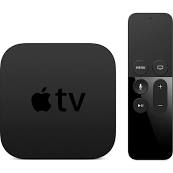
And as a third act Steve talked about Apple’s hobby. AppleTV is now smaller, cheaper, and easier to manage. AppleTV was introduced in 2006 and was not a big hit. It wasn’t what the main stream user was looking for. The average user doesn’t want to think about syncing their device. So the new Apple TV doesn’t have any storage on board and no way to buy new movies or TV shows. Currently the Apple TV is rental only. $0.99 for HD TV shows and $4.99 for HD first run movies and the price goes down for movies as time goes on. Also Apple TV can stream content from any computer with iTunes on the network. It is equipped with HDMI, Ethernet and 802.11n wireless and comes with an aluminum Apple remote control. Streaming of Netflix and YouTube has also been added to the new AppleTV. Also with the new Airplay feature coming in iOS 4.2 you will be able to stream content from your iPhone or iPad to your Apple TV device at the touch of a button. This still gives users who want to buy a movie or TV show the ability to buy on the iPad and download it, then watch on the Apple TV. The one question I have is will Quicktime X see an Airplay feature added?
I have already placed my pre-order so I will have an in depth look at the new Apple TV when it arrives.
Many people were expecting a TV revolution this week that didn’t seem to come. There was no mention of the North Carolina datacenter and what it will be used for later this year and we still haven’t heard when FaceTime will be coming to iChat. There was no mention of apps on the AppleTV or a streaming TV show service. I would love to download apps for the channels I watch and just pay for the channels I like instead of everything. Apple can revolutionize TV just like they did with music and multi-touch applications on smart phones. But they apparently have decided to a take a slow steady approach.


Friday, August 6, 2010

Windows 7 driver update breaking iPads and iPhones

When updating your iPad or iPhone be careful with a possible issue involving driver updates with Windows 7. By default Windows 7 will look for driver updates automatically when connecting a new device. While it is searching for the drivers it will temporarily disconnect the device. If you are updating your iPhone OS or iPad disconnecting the device at that start of the upgrade can corrupt the software update and leave your iPhone or iPad in a state requiring it to be reconnected to iTunes and restored.

If you connect your iOS device frequently to your computer and backup your settings, apps, music, videos, books, etc., you should be fine. When the computer restores it will restore the backup it does right before the installation runs. If however you are upgrading from a computer you don’t backup your device on or for some reason your App syncing isn’t turned on you could lose data.

To make sure WIndows 7 doesn’t disconnect your iOS device during the upgrade follow the steps I have listed below.


1.)    Click Start and choose Devices and Printers

2.)    Right Click on the PC Device and choose Device Installation Settings

3.)    Then select No, let me choose what to do.  Select Never install driver software from Windows Update and select save changes.

image001-2010-08-6-09-42.png

This will keep WIndows 7 from disconnecting your USB devices and looking for new drivers when you plug them in. The easier option is of course to use a Mac and it won’t disconnect your device while looking for new drivers.

Sunday, July 11, 2010

Blogging on the Mac

Blogging on the Mac can be as simple or as complex as you choose it to be. Blogging can be a lot of fun and a truly rewarding experience. The first thing you have to decide is what you want to blog about. Pick something that is interesting to you and that you can write about on a regular basis. It took me some time to learn this important tidbit. Regular blogging is very important to getting repeat visitors to your site. My first six months of blogging I could have lunch with all of my readers because I wasn’t writing on a regular basis. As soon as I set a deadline for myself and started sticking to it I saw an immediate increase in traffic.
I started off by purchasing a domain name through godaddy.com. www.macguy.info serves as my home page and blog.macguy.info is redirected to paulmacguyscott.blogspot.com where my blog is hosted. Next step was to signup for blogger using my gmail account. Once I had the blog site setup and configured the way I wanted it to look I setup blog.macguy.info to redirect to my blog page.
Next to see what kind of traffic I am getting I went to Analytics.google.com and setup an analytics account so I can see how many hits a day I am getting, how my visitors are finding me and what country they are from. This is just of interest to me and it is only very general information but it gives me an idea of who comes to my site and sometimes what pages they are visiting.
Really the best source of feedback is comments on the blog itself, emails, or tweets I get from my readers. Some of them even give me ideas for future posts. As a part of regular posting process I started planning what topics I am going to write on ahead of time. Currently I build my schedule about two months out. I plan topics around certain dates that might be relevant. A review of study software in August right before students go back to school, or a look back on technology when a company hits a mile stone anniversary. Of course sometimes I shuffle things around if a big story breaks or an important issue comes up that needs to be covered.
Planning these ahead of time allows me to start researching and writing ahead of time as well. I can start putting my notes together or interesting bits I think of I want to write in file so i can keep track of it when I am ready to write it. I am also trying to write several articles a week and hold them until it is time to publish so taking a vacation or being busy with my day job doesn’t throw me off my scheduled posts.
Another option when news breaks is to just add an extra story for the week to my blog. Since this is all digital I don’t have to worry about a real deadline or how much space I take up. I can always add a bonus story if I like or just move the schedule around. Currently I plan about two months in advance what I plan to write so currently I just move stories around, eventually I might add extra stories to the blog as I have more time to write.
After the first few months of writing my blog in the web based editor on blogger I decided I wanted a better way to post. So I started looking at different programs that might help me focus on my writing and post my stories. I settled on MacJournal from http://marinersoftware.com/sitepage.php?page=85. It is a nice software priced at $39.95 and versatile. In addition to being linkable to several blogging platforms like Blogger, Word Press, Type Pad, and Live Journal you can create private encrypted journals to share your personal thoughts and writings for just yourself or perhaps a memoir for the future.
MacJournal lets me keep a local copy of all of my blog entries so I have a copy on blogger and a copy on my laptop that is also backed up to Time Machine and Mobile Me. For those keeping score that is four copies of my writing in three different locations on two different kinds of media. In a future post I will do a piece on backing up in depth.
MacJournal also allows you to add your tags and set publishing dates right in the Inspector. This saves time when uploading your blog post. You configure your site settings under share and when it comes time to post your blog you just click share, Send To “Name of your blog here” and it uploads and shows you the page in Safari once it is loaded. The only weak point I have seen with MacJournal so far has been it can’t upload images to Blogger. Any images I add to my blog I have to do on the web after I have uploaded the story. I hope this is something that can be fixed in a future revision. Once I have uploaded the images I can re download the story into blogger and update my local copy and it does download the images just fine although it doesn’t hold the formatting as it is displayed on the web.
If I am traveling and have a need to post in my blog I use BlogPress on my iPad and iPhone. http://blogpress.coollittlethings.com/ This is a great piece of software that allows me to blog while away form home. In April i wrote a story reviewing the iPad while on a cross country flight. Since the plane had WiFi I was able to write my story and post it right from plane. Writing a 2,000 word review of the iPad on the iPad was a good experience and one that showed me short of software development I didn’t really need to carry my laptop with me anymore if I was only going a few days. Now with Remote Access software I hardly ever have to carry my laptop anymore unless I just want to for some reason or I need to sync my iPad with my computer. BlogPress syncs right up with blogger and was the first iPad Blogging tool available on the app store. I just open it up and start typing. I even can add images right to blogger from the iPad. At the time there was on editing software for photos on the iPad so I wasn’t able to rotate the image the way I wanted the screen shot to look but it worked in a pinch.
If I don’t have my iPad with me but I am carrying my iPhone BlogPress runs on the iPhone as well. Now I can take pictures and write a story right in the field. With a Bluetooth keyboard it is easy to write from the iPhone. So now I can take my writing with me wherever I go. BlogPress will even let you save movies to your YouTube Account and link them to your blog. So no we can do pictures, movies, and text all live from wherever we are.
I blog because I like to write and I like to share information with people. I get a great deal of satisfaction knowing people are reading what I write and getting something out of it. For that I want to thank each and every one of you for visiting my blog and enjoying and learning from what I have written. Please keep the comments, tweets, emails, and Facebook posts coming. I couldn’t do what I do without you all.

Sunday, June 27, 2010

iPhone 4 First Look

In 2007 Apple changed the smart phone market with the first iPhone. In 2008 they revised the iPhone and rolled out the App Store and developers responded by creating more than 200,000 applications to date. in 2009 the iPhone added video recording, got faster, more memory and a few other new features but nothing earth shattering. Now in 2010 Apple really did redefine the smart phone market again with iPhone 4.

The first thing you notice on the iPhone 4 is the weight of the handset when you first pick it up. The weight feels perfect it is more of a substantial tool than just another phone. The glass and metal looks like art, the feel is solid, and it is very comfortable in your hand.

route-retina-20100607-2010-06-27-18-00.png


The first thing you notice when turning the phone on is the new Retina Display is stunning. The higher resolution and In Plane Switching LED display lights up fast and is very bright even in direct sunlight making it easy to read. The 326 pixels per inch make the pixels so small most people can’t see them and images and text look like laser prints instead of images on a screen. None of the online photos did justice to the clarity of this new display. So far no other smart phone maker is using a screen with this many pixels per inch.

Once you swipe your finger to unlock the phone you get a feel for the speed of the A4 processor and the benefit of putting 512 Megabytes of RAM into the phone. While we didn’t see an expected jump in storage capacity the extra speed makes the phone far more capable than it’s predecessors. Even the 3G and WiFi is faster on this new phone requiring you to wait less time to download information and there is plenty of room for network performance to improve as AT&T upgrades its network.

Pictures and Video are amazing on this phone putting it nearly on par with higher resolution point and shoot cameras. The 5 megapixel sensor using larger pixels making it more sensitive to light takes great photos in lower light conditions and the bright LED flash on the camera helps with even the lowest lighting situations. More megapixels doesn’t always mean better images just bigger files. The camera can also shoot very clear 720p HD video so you can now leave the Flip cameras at home and use your iPhone to shoot, edit and upload videos right from your phone. If you are going to be shooting longer videos you may still want to bring the FlipHD camera along so you don’t use up all of your storage on your phone. With Music, HD Movies, Data, applications, books, PDF’s and Podcasts it seems as though the 32 Gigs of storage goes pretty quick.

The larger battery and more efficient A4 processor has helped the iPhone 4 battery life quiet a bit. Despite the fact I use the phone more and for longer periods of time I can make it through an entire day and not have to recharge the phone. Under very heavy usage on a Friday I got about 15 hours of usage before needing to recharge. Some of that time was a 2.5 hour Plants vs. Zombies marathon. On Saturday I spent a lot of time on the phone and using bluetooth as well as watching videos and showing off the phone to friends and I got another 15 hours of usage and without the gaming marathon the battery still had about 30% charge remaining when I started recharging it. I didn’t get the kind of battery life Engaget described but I had the bluetooth, wifi, 3G all turned on. With a little power management or just recharging while I am in my car or at my desk I don’t think battery life will ever be a problem again for the iPhone.

There has been some controversy surrounding the iPhones new antenna built into the frame of the phone and the talked about iPhone “Death Grip” that supposedly makes you drop calls. First I tested this at home with the bumper case removed from my phone and was unable to duplicate the issue. I live in a neighborhood that is close to an AT&T cell tower and I get 5 bars no matter what I do in the house. If I move to a location where I only have three bars and try this I do see a drop in signal strength but I am not sure if it is because of how I am holding the phone or other factors in the environment that might be influencing the phone. This isn’t a new phenomenon. All cell phones loose reception when you cover the antenna with something that can block signals like your hand or your head. To make sure I don’t have a problem and to protect my phones glass surfaces I opted for the Bumper case and in four days of using my iPhone I haven’t had a dropped call yet which says a lot since that has been a problem with AT&T for many years.

route-multitasking-20100607-2010-06-27-18-00.png


With iOS 4 on the iPhone we now have multitasking. While for the last couple of years I didn’t think I needed multi-tasking it is again a time saver. Saving the state of the application when I switch to something else and letting me come back right to where I was when I return saves me time in waiting for the application to be ready to go again and doesn’t compromise battery life. Also adding folders allows us to install more applications on our phones without loosing having some applications only available through a spotlight search. Initially the iPhone could support 144 applications. Then iPhone OS 3 came out and we could go up to 176 applications plus the ones that didn’t fit on a screen could be accessed from Spotlight. Now with folders we can have 2,112 applications visible on our phones. Again if you have more than that first of all how do you use them all and second you can find the ones not visible through a folder in Spotlight.

The background images you can choose for your lock screen and your desktop really give you something nice to look at while you are using your phone.

One of the most compelling and phone new features got a lot of ridicule from the tech and blog community when it was first announced and everyone criticized and said “who would want to video conference from your phone?” But now we have Face Time. While you are on a WiFi network you can call another iPhone 4 user and see them face to face and carry on a conversation with that person. It is great to see someone when you are talking to them and over WiFi the video is clear and the audio quality is excellent. You can even switch from the front to the rear camera at the touch of a button to show the caller what you are seeing or press it again so they can see you. The era of the Jetson’s have arrived. While we still don’t have our flying cars we do finally have an easy to use video chat. Apple has submitted Face Time to become an open standard and already relies on other open standard protocols to work. Now Apple needs to make Face Time work not with just iPhone4 but with iChat AV and encourage other vendors like Skype, AIM, Microsoft, and others to adopt Face Time as a standard and use an Open Directory system to allow us to talk with one another.

route-facetime-20100623-2010-06-27-18-00.png


The potential for our communication to be revolutionized if anyone, anywhere and see and hear each other anytime, whether we are at our computers on our desks, our laptops in a cafe, or our iPhones at the beach. To be able to look someone in the eye and have a conversation even if they are thousands of miles away is a very powerful tool. Plus when you look our caller in the eye you know they are paying attention and not distracted by one of the many other devices that now vie for our attention in our lives today.

iBooks now runs on iOS4 and on the Retina Display on the iPhone4 it is easy to sit and read a book while having lunch or standing in line. The text is so clear and easy to read even at smaller font sizes it is no problem to look at the screen for long periods. When I got my first Amazon Kindle last year I started reading more because it was easy to carry several books around in a small lightweight device. A year later the iPad was introduced and then I could do far more than just read books and now with the iPhone supporting iBooks I can read anytime anywhere even if I didn’t bring my Kindle or iPad along with me. I can open any electronic book in my library read a few pages and when I get back to my Kindle or iPad they update to the most current page I have read and I can pickup where I left off. Just like with Podcasts, Movies, and AudioBooks on iTunes, iPad, and iPhone.

In short the iPhone4 has revolutionized Smart Phones and mobile communications again and it will likely be sometime before handset manufactures catch up to Apple again. By then who knows what will be coming next but stay tuned and we will find out.

Sunday, June 13, 2010

WWDC 2010 Keynote

Well we have all by now heard the news from Apple about the upcoming iPhone 4 and new iPhone OS now to be known as iOS. I will just give you a quick highlight recap and then talk about what I think is even more interesting. What wasn’t mentioned in this weeks Apple Keynote.
iPad
First Steve made a quick mention of what a huge success iPad has been selling over 2 million units in just 60 days. Now with international shipping underway that number is sure to skyrocket just as fast as Apple can make these fantastic devices. I think John Dvorak is going to loose his bet toLeo Laporte on Apple selling five million iPads in the first year. We will probably make that number in six months.
The iBooks application already has a 22% ebook market share in just the first 8 weeks. Amazon got us excited with the Kindle and whetted the publics appetite for e-books and while I still like and use my Kindle the iPad just does so much more and now that is the device I never leave home without. Now Apple is adding the ability to read PDF’s right in iBooks on our on PDF Bookshelf and giving us the ability to take notes right on our PDF’s and Books as well as bookmarking and highlighting the text. iBooks is ready now to be the killer app for education in the 21st century. Apple has also included wireless syncing of all of our books, PDF’s and our data between iPhone, iPad, iPod Touch, and I am hoping someday a desktop app which will allow me to consume my content where ever, when ever and how ever I choose.
App Store
In Steve’s speech he mentions that iOS supports two platforms HTML5 and the App Store. HTML5 is a fully open and uncontrolled platform. Anyone can develop anything they like and run it in the Safari browser. The App Store is a curated platform where Apple vets the Applications before they are placed in the store for sale. Apple gets 15,000 apps a week that are submitted in up to 30 languages. According to Apple 95% of apps are approved in 7 days. Steve went on to mention the top three reasons an application doesn’t get approved.
1.) The app doesn’t function as described by the developer
2.) The developer used private API’s which could result in a program failing after a software upgrade
3.) The App Crashes.
Still there are issues with a few apps that get pulled for strange reasons such as the political cartoon application which was rejected for reasons of content and later was put back in the store when the developer appealed the decision. Or the Pulse Application for the iPad that was pulled because The New York Times demanded it be removed for containing copyrighted material. It was taken down, the developer removed the sample RSS feed that pulled New York Times content and the app was back in the store later in the day.
I would like to hear from any developers that read this blog about their experiences submitting to the app store. Both positive and negative to get the perspective of those that deal with the App Store on a regular basis. If I turn it into a follow up column later you will of course be anonymous.
New Apps Coming Soon
Netflix for the iPhone coming this summer for free. Netflix is using adaptive bit rate technology to adjust video quality based on network speed and allow you too seamlessly switch between wifi and 3G.
AT&T capping data will really put a damper on this application. You can stream movies over wifi with no problem but just a few movies on the Pro plan and you could blow your data usage for the month. I have and I am keeping my unlimited data plan for my iPhone which is good for me but with multi-tasking and NPR streaming apps, Pandora streaming apps, and Netflix streaming those that have to spend a lot of time on 3G might find they get unreasonably large bills from AT&T or don’t use the capabilities of their phone for fear of going over their cap. This is just another way AT&T is holding up the progress of technology and failing their customers. I have already gone over that in depth in Is AT&T Business plan to give away all of their customers to the competition?
Zynga is bringing everyones favorite Facebook time waster FarmVille to the iPhone. Now you can work your farm while you are in line at the bank or out at a bar with your friends. Send a friend a gift in FarmVille with them sitting right next to you. Zynga has 35 million players playing games daily and over 70 million players of FarmVille per year. Over 200 million gifts per day are given in FarmVille and will be on the iPhone by the end of June. We are evening getting an option for a tractor and a pet Snow Leopard for iPhone FarmVille players.
Guitar Hero is also coming for the iPhone. The demo may have not done it justice and since I myself have never played Guitar Hero at all I didn’t really understand the game play experience they talked about in the demo.
iMovie is going to be available next month on the iPhone 4 for $4.99 and give users the ability to edit their videos, add transitions, add titles, and edit the audio in your video before uploading it to You Tube, sending it via email, or other uploading options.
iPhone
Neilson Statistics reported that the Smart phone market broke down in the following way:
35%         RIM
28%         iPhone
19%         Windows Mobile
9%                 Android
9%                 Others
For just being around three years now starting on their fourth year to be second only to RIM maker of the Blackberry line of phones is an impressive feat. Particularly given the fact AT&T seems to really be holding Apple back on sales. In a recent report 16% of Verizon customers would buy an iPhone if it were offered on Verizon’s network. That is a huge number of potential customers untapped due to AT&T’s exclusivity deal with Apple to carry the iPhone.
Once the agreement ends and iPhone becomes available on other carriers iPhone could potentially control the smart phone market.
iPhone 4
The new iPhone sports a glass front and back with a stainless steel band around the phone. The new iPhone 4 is 28% thinner than the current 3G and 3Gs iPhone making it the thinnest smartphone on the market. The new glass front and back is made from the same glass that is used in helicopter canopies and high speed train windshields. That with a new process to strengthen the glass is supposed to make it 30 times stronger than plastic. Hopefully that means our phones will not scratch as easily. While my phone screen has never been scratched the plastic back is pretty scratched up from my keys in my pocket and the dock connector in my car.
The new Retina display just couldn’t be fully appreciated on the video. Apple had a special high resolution projector installed for the presentation so people in the audience could see the difference between the old displays and the Retina display. The new Retina display at 326 pixels per inch is such a high resolution display most people can’t differentiate the pixels at 12 inches from the phone. With 4 times the number of pixels and the IPS LED backlit screen on the new phone the screen is sure to look stunning.
With the new A4 chip in the the iPhone the new phone will be faster and more power efficient. With the speed of my iPad I can’t wait to get my hands on the new iPhone 4. While the phone is slimmer they were able to increase the size of the battery to give us about 7 hours of talk time, 6 hours of 3G browsing, 10 hours of wifi, 10 hours of video playback, 40 hours of music or 300 hours of standby.
The antennas are part of the phone structure. The frame of the phone is the stainless steel band around the outside of the phone also serves as the two antennas. One antenna is for the Bluetooth and 802.11n WiFi and the other antenna is is for the cellular and HSDPA which no supports 7.2 Mbps down and 5.8 Mbps up when carriers upgrade to support those speeds.
There was no change in storage capabilities, the iPhone 4 comes with 16 GB or 32 GB of storage. With the explosion of downloaded music, movies, applications and the addition of a higher resolution camera and the ability to record HD video I think extra storage would have been helpful. Hopefully we will get some streaming options in the future for iTunes content we own so we don’t have to store everything on the phone.
The 5 Megapixel backside camera has an LED flash or the LED can be left on for shooting 720p HD video. The sensor is larger so it works better in low light conditions it is also backside illuminated to work better in low light situations. The iPhone software includes a 5x digital zoom and tap to focus in both still and HD video. iPhone 4 also adds Geo location information to the video while it is being recorded so you can remember where you took the video. The travel template also uses Geo location to give you the Indiana Jones sort of intro showing a pin on a map of where the video was shot.
A GPS, Accelerometer, compass and gyroscope for 6 axis motion sensing are available to the new core motion API. This will give the phone more information about where it is in space and make the iPhone more aware of its environment. This is going to be huge for gaming and advertisers will be able to tap into these functions to give users more useful information about the world around the phone.
Apple expects to sell 10’s of millions of iOS devices this year. The iPhone pre-orders start on June 15th and we will be able to pick up our iPhones on June 24th. Apple has dropped the 3G iPhone and moved the 8GB 3GS into the $99.00 spot and added a $199 16 GB and $299 32 GB iPhone in Black or White.
iOS 4
The new iOS 4 has 1500 new API’s for developers and over 100 new user features including multitasking done right. Even Steve pointed out while they were not the first to have multitasking they did it right. Double tap the home button to access the running applications. The apps when they are not in the foreground are saved out to the flash storage. If the application needs to keep some parts running like audio for Pandora Radio is controlled by Core Audio when the application interface is in the background. This way you get multitasking without sacrificing battery life. Part of these new API’s include a right swipe gesture on any app to reveal the audio controls for which ever app is sending audio to your headphones and allow you to fast forward, rewind, play, pause, or adjust volume.
With the explosion of applications and the ability to display 16 apps on a screen and 11 screens for a maximum number of displayable apps of 176 apps that just isn’t enough for the modern iPhone. So now we have folders. Simply drag an app onto another app and it will automatically name it the same name as the genre of application it is and you have a folder. You are free to rename the folder or add more applications if you like. Now we can have thousands of applications available on our iPhones.
Unified Inbox now gives us the ability to look at multiple inboxes at the same time. So we don’t have to swipe back and forth between our personal and business email accounts we can manage our digital lives in just one inbox just like on the Mac. To help keep everything organized they have also added message threading so you can keep track of a specific conversation. In keeping with the big business theme iOS 4 also includes better enterprise integration, better data protection, improved mobile device management, wireless application distribution, SSL VPN, support for multiple exchange accounts, and support for multiple search engines, now Google, Yahoo and Bing are options in iOS 4.

FaceTime is what is going to make the iPhone the must have device. Realtime video conferencing on the iPhone with a few initial caveats. iPhone 4 to iPhone 4 only and only works where there is WiFi in 2010. The good news is no setup required, works in portrait or landscape mode and can use the front or rear camera. Apple has already announced they are submitting FaceTime as an Open standard so that other phone manufactures and other software companies can opt to use it. I can see a world in the next two years where we can make video calls to iChat users, Skype Users, Android Phone users, Cisco Video Phone users and even Microsoft Live users and be able to have a face to face chat. Even the applications for the deaf are going to be astounding. The iOS upgrade will be available June 21st and will be free for all iPhone 3G, iPhone 3Gs, iPod Touch 2nd generation and newer, devices for free.
Accessories
Apple will be offering a new iPhone dock for $29.00 not any different from the 3G dock just shaped to hold the iPhone 4. Apple is also attempting their own case for the iPhone called bumpers and it wraps around the phone and come in five colors. Front and back are open to show off the iPhone 4.
What wasn’t said
Almost as interesting as what was covered in the two hour keynote is what wasn’t covered. No announcement of iPhone being opened to other carriers in the US. I remain convinced that will happen in the near future. That is why I think AT&T increased there early termination fees from $175 to $350. AT&T caping bandwidth, charging premiums and providing substandard voice services are pushing customers to want to move to other networks and keeping some people from buying iPhones in the first place.
Also Apple didn’t announce a new MacBook Air, Mac Pro, or iMac all of which were do for a refresh. There were also mentions of a new Apple TV which didn’t materialize and no mention of what the data center in North Carolina is being built for. Apple promised some big announcements this year right after announcing the iPad. Also conspicuously missing at the Developers Conference was any mentions of OS X 10.7. If Apple holds to their release schedule we should have an updated OS available between February 2011 and August 2011. So probably Apple will hold that announcement back for the next developers conference and give developers time to update applications prior to the release of 10.7. It would still be nice to see what they have planned. I expected there to be more announcements at the developers conference than we got.
Apple has the Moscone Center booked again later in the month, perhaps Apple has more announcements planned this year keeping them front and center in the news. January we had MacWorld, in February Apple announced the iPad, April and May the iPad is released with a lot of media coverage. Now June we have the iPhone 4 being released which will surely be heavily covered by the media. I am sure Apple will have more announcement this year that will keep them front and center in the public eye through 2010 easily.

Thursday, June 3, 2010

Is AT&T Business Plan to give away all of their customers to the competition?

Well let’s be honest. iPhone owners really didn’t have unlimited Internet access to being with. In the small print AT&T Unlimited is really a 5 Gigabyte per month service. Last time I checked that was far from Unlimited but for most users they would never hit that limit.

Over the last seven months my average data usage was 266 MB and Mom’s average data usage is just 131 MB a month. Most of the time we are in the range of WiFi That isn’t a huge amount of data. To hear AT&T tell the story they are being overwhelmed with all of the data usage. If we had tethering which Apple started offering on iPhone last year I would optimistically say it would probably double my Internet usage to a whopping 532 MB for me and 262 GB for Mom. As a family that puts us under 1 GB of data a month. In a recent Mac Observer poll it seems as most iPhone poll respondents are 1GB or under per month in their data usage.

So AT&T wants to take the unlimited plan we currently pay $60.00 a month for data (2 iPhones) with a 200 MB plan for $30.00 a month ($15.00 per phone) or 2 GB for $50.00 a month ($25.00) per phone. While cutting our unlimited plan is annoying I could live with a small reduction in Internet prices for my phone but if I want to add tethering to our phones it will be another $20.00 per phone. So AT&T’s method of saving me money is really going to cost me an extra $40.00 a month. Not only can they not run a successful cellular network with a handset that virtually sells itself but basic math seems to escape them as well. I only save money if I use less of the service and forgo tethering we were promised over a year ago. News Flash AT&T I can save money from the power company by not turning the lights on too. That doesn’t mean I want to live in the dark. I should be able to use my service I pay for when I want to and not worry about overages.

So the press release that advertises lower priced data plans will actually cost me $30.00 a month more for 6 GB a month less data. How is this saving me money? Is AT&T trying to give away business to competition. Scott Bourne from Mac Break Weekly announced on his blog today he is giving up his iPhone and going to Droid. Not because he likes the Droid better but he just hates AT&T that much. 

Listening to This Week In Tech with Leo Laporte or really any other tech show that talks about the iPhone AT&T is always being dogged for poor network performance, poor voice quality, frequent dropped calls, and poor customer service. I defended AT&T for a time because I really liked my iPhone and in most areas I visited I had pretty good coverage but still many dropped calls.

Now AT&T just can’t be defended. It is time for Ralph de la Vega President and CEO of Mobility and Consumer Markets should be fired by his board. AT&T has totally failed to capitalize on one of the best handsets to be released in the US in the history of mobile communications by delaying MMS rollout, failing to build out the network faster to support the iPhone and working harder to make service better. AT&T is doing their best to destroy the Golden Eggs Apple has laid at their feet.

This announcement also came on the heels of AT&T announcing they are increasing cancelation fees from $175.00 to $325.00 for early contract termination. Nothing like a little indentured servitude to your cell provider to really make you resent them and look forward to the end of a contract and inform them where they can stick their “services”.

AT&T is just short of showing open contempt for their customers. Why don’t they just roll out a new slogan replace “Your World Connected” with “We are not happy until you are not happy” or possibly “ Your World Connected with lot’s of extra fees and overage costs.”

It is time that all AT&T customers and iPhone users publicly speak out against AT&T and let them know that while we iPhone lovers love our iPhones we will not tolerate a co-dependent relationship with an abusive provider.

 Apple needs to step up and announce formally new carriers. A recent poll indicated 16% of Verizon’s 10 million plus subscribers would be interested in switching to the iPhone. How many users would love to move to TMobile with an iPhone? Better customer service and a family plan with unlimited talk, text, and web for $139.00. I would drop AT&T in a heartbeat and not have to think twice about it.

This cheaper data plan is solely designed to discourage users from using the network and increase revenue by creating overages when iPhone users use more data than they planned on. Also forcing us into a capped plan if we want to tether our phones. iPhone tethering has been a feature of the iPhone since 3.0 was released a year ago and is used by iPhone users the world over except for those on AT&T in the US.

According to iPhone Buzz one AT&T customer got a cease and desist order for emailing the company CEO twice. Of course we don’t know the content of that email was, undoubtedly it was complaining about AT&T business practices. Instead of reevaluating AT&T responded with lawyers. Way to serve your customers! How about giving back your salary to the company now as a favor to the share holders you seem so desperate to wipe out their investments in your company.

It is time AT&T stops holding Apple and customers back from using our devices the way we want to use them. It is time AT&T comes forward and announces how they plan to beef up the voice network and increase coverage while at the same time making their pricing more competitive with T-Mobile, Verizon, and Sprint. Perhaps AT&T has told us how they are going to accomplish the first task. Make is so inconvenient to use their customers will just go away and stop bothering them. As for the second part they don’t need to be competitively priced the competition is already cheaper so I guess they plan to give away more customers.

In the next couple of years as iPhone comes to other US carriers I think we will look back on this and say this was the day when AT&T CEO of Mobility and Consumer Markets Ralph de la Vega doomed his company. Hopefully the AT&T board of directors will act on behalf of share holders and customers and turn this mess around before AT&T becomes the third rate carrier we always new they could be. Way to snatch defeat from the jaws of victory AT&T.

Sunday, April 11, 2010

10 Must have iPad Apps

Now that I have spent a week with the iPad and enjoy it thoroughly.  I can't wait for iPhone OS 4 to ship later this year to see what new features besides Multitasking that we will get.  In the meantime here are a few must have applications to make your iPad the envy of everyone at the local coffee shop.

1.) Netflix, the application is free but you do have to have a Netflix subscription that offers Internet streaming.  The quality of the streaming video is good however it is standard definition currently.  The CEO of Netflix stated in an interview that starting this year Netflix will start introducing High Definition streaming this year.  It is great for watching movies anywhere anytime you have time and a network connection.

2.) Twitterriffic is as you might guess used for sending and receiving your tweets on Twitter.  It is a free download and is more feature rich than the desktop version and was designed with the iPad in mind.  It looks great on the big screen and makes Twitter fun to use.

3.) GoodReader is for reading PDF's and is only $.99.  It allows you to download the PDF's to your iPad from a number of sources.  It can be connected to the MobileMe iDisk, drop box, Google Docs, box.net, FilesAnywhere.com, any Generic WebDav server, or even search for shares on the local network.  GoodReader will even allow you to turn your iPad into a web server to share your PDF's with other iPad users or PC's or Macs on your local network.

4.) USA Today is a great free application for getting the current news.  It looks like the news paper and is up dated every time you open the application.  I can now get the news in the morning without even going to the front door to pick up the paper.

5.) NPR is another free app that let's you read the news and listen to NPR stations all over the country live.

6.) The iBooks app free from Apple gives you access to the iBook Store and allows you to download ebooks and read them on your iPad.  The User Interface for the iBook application looks just like a real book complete with page turns.  Unlike a real book you can change the print size, font, and brightness of the page.

7.) Amazon Kindle for the iPad is a free application so you can buy books from Amazon and read them on your iPad, iPhone or Kindle and keep all of your bookmarks in sync no matter which device you are using.  So you can have all the ebooks available on Kindle and Apple's bookstores right at your fingertips.

8.) iTap RDP is $11.99 and for those that might need to take remote control of a Windows PC this is a native iPad application so the Windows Desktop looks great on screen.  Pinching and Zooming gestures allows you to get in close to a section of screen.

9.) Star Walk is $4.99 and is a great educational application if you are interested in astronomy.  Star Walk uses Location Based Services to find where you are and show you what the sky looks like as you hold the iPad up and look to the sky.


 10.)Pages, Numbers, & Keynote are $9.99 each and allows you to create documents right on your iPad. If you have to write a paper, create a spreadsheet or enter data into a spreadsheet or give a presentation you can do that all with the iPad.  Apple has some more work to do with these apps getting data in and out more quickly and easily.  These are first version applications and I am sure they will mature in time and be as useful as their desktop counterparts.


You can run any iPhone application on the iPad in regular mode the applications fit in the middle of the screen.  There is a 2x mode that allows you to double the pixels to blow up an application to full screen on the iPad.  Some games and applications look good being pixel doubled.  Text usually looks blurry being doubled but is readable.

Many applications for the iPhone are being rewritten for the iPad's larger screen.  Some developers are offering the upgrades for free while others are writing whole new applications and charging for them.  That is being left up to the individual application developers.

This is just the beginning of the applications that are going to be coming out for the iPad over the next year.  As more developers get the iPad in their hands we will see more innovative applications coming down the road.  Remember the iPad has only been in the publics hands for only a week.

Apple TV

The more I use the new Apple TV the more I like it. The previous model was likable and easy to use but we had no options for live content. N...