So you recently upgraded your iOS device or just added Netflix and want to watch a show on the go. However when launching Netflix you only see a spinning wheel and no login and now shows.
Discussions of all things Mac, iPhone and iPad related. If you would like to ask a technical question email me at paultscott@gmail.com or follow me on Twitter @paulmacguyscott The Mac Guy is an independent blog and has not been authorized, sponsored, or otherwise approved by Apple Inc.”
Monday, September 30, 2013
Netflix App Won't Display login screen on iOS
So you recently upgraded your iOS device or just added Netflix and want to watch a show on the go. However when launching Netflix you only see a spinning wheel and no login and now shows.
Trouble with iMessage, FaceTime or Push Notifications?
Friday, August 16, 2013
Sending Group Emails from iPad Quick Tip
Something that has been missing from the iPad since the beginning has been the ability to send email to groups from the Mail app. There are a number of apps in the app store like MailShot or MailShot Pro that will help you create lists to send group emails from your iOS device.
To ask Apple to add this as a formal feature please goto http://www.apple.com/feedback/ and ask apple to add group mail lists to iOS.
Wednesday, July 3, 2013
Air Display Review
AirDisplay costs $19.99 and is available on the iTunes store for iPad and iPhone. The software that installs locally on your Mac is free and instructions for where to get the software and how to install it are included in the AirDisplay app.
Once the app is installed on the iOS device and on the Mac they auto detect one another as long as they are on the same network and connect. Once that is completed users can open Display Preferences to decide which side to place the extra display on. The touch screen still reacts like normal on the iOS device. If the user has an application with tool bars like Photoshop it is a convienent control surface. Reach over tap the tool you want and return to work without having to move the mouse to the other screen.
I recommend using the AirDisplay app while plugged into external power to preserve the battery on the iOS device. This is a great application that grants road warriors a second screen while on the go or a convenient extra screen while working on a desktop.
With AirDisplay and Mavericks in the future a user could have a multi screen laptop completely wirelessly. The main laptop screen, a second iOS device screen with control surface and an AirPlay Display hanging on the wall. The flexibility becomes limitless.
For the $19.99 price tag AirDisplay is the best among the remote screen applications and well worth the investment.
Saturday, June 29, 2013
iShower Reviewed
The iShower will display the time if the clock button is pressed or the volume adjusted so you won’t be late getting to work if you start rocking out to music in the shower. The buttons are large and easy to operate with play/pause, forward and back in the middle and the up down volume on the bottom right of the device. I leave my iPhone on the dock in the morning to continue charging and when I turn the shower on I press power on the iShower and play to start whatever music or podcast I was most recently listening to the night before.
The iShower runs on four AA type batteries and seems to have a relatively short battery life in my testing. After the first set of included batteries I switched over to rechargeable batteries. When a phone call is coming in the music will pause to alert you of an incoming call. The iShower doesn’t play the ring of the caller but if you happen to be close enough to your phone to answer it you can probably hear the ring anyway. As soon as the call goes to voicemail play back automatically resumes.
What could be added to make the iShower more useful and fun? First better battery life and possibly a rechargeable battery system to save on replacing batteries and by switching to non replaceable batteries remove one more point water could leak in. I think a microphone and Siri button would be useful as well for those that have voice activated smart phones. Being able to change playlists or artists while in the shower would be fantastic. Caller ID display would be nice on the display as well so you can decide if you want to jump out of the shower to grab that important call.
Overall the iShower from iDevices is a great device and I would recommend it to anyone who is a music lover and has a bluetooth device to play music. After my shower I can pause the music and pick up where I left off when I get in the car.
The iShower is $99 dollars and is available through http://www.ishowerin.com/ or from Amazon for $89 dollars.
Nothing starts the day better than rocking out to some tunes in the shower and showers make everyone an excellent singer.
Monday, January 2, 2012
Lark Un-Alarm Clock
For the last couple of weeks I have been testing out the Lark Un-Alarm clock. This alarm clock consists of an iPhone app, a sensor and a wrist strap. Before going to bed simply pull the sensor from the charging dock, slip it in to the soft wrist band, open your iPhone app and set what time you want to be woke up. That is all there is to it for the alarm function. The advantage for those users who are not single it provides a silent alarm for waking you without disturbing your partner. I get the feeling this will be a popular gift for people who have to wake up early when they have a partner who doesn’t.
The sensor vibrates at wakeup time using a random pattern so you do not get used to it. Once you are awake just grab your iPhone and slide to turn off the alarm. Don’t worry if you are conceded you might take the Lark off in your sleep. The alarm has a backup audible alarm that causes your iPhone to emit soothing sounds to ease you back to consciousness if you do not turn off the vibrating alarm in a certain time period.
One you turn off the alarm is where the Lark starts getting cool. The Bluetooth connection between your phone and the Lark sensor allows the Lark to upload information to your phone to tell you about how you slept. How long did it take to fall asleep? How many times did you wake up in the night? How many hours of sleep did you get? All of this information is recorded and stored in your phone. The when and how much you moved about is displayed on a graph at the bottom of the screen. So users can start building a history of their sleep patterns.
I didn’t sign up for the sleep coach since it was an extra $60.00 and I apparently am already a pretty good sleeper.
My first night with Lark wasn’t quite successful I didn’t realize for the device to monitor your sleep patterns you must setup a wake up time. So for those that like to sleep in on the weekends until your eyes roll open it will not track how you sleep on those nights. By the second night I set an alarm time which I woke up before I reached but because I spent a sufficient amount of time sleeping the Lark sensor uploaded my sleep information to my iPhone and told me about my quality of sleep. I was surprised to say the least at how the software evaluated my sleep and said I slept well. I always imagined I had difficultly sleeping but apparently I do not. I fall asleep fairly quickly and wake up several times in the night most of which I never even remember.
I have not been able to find technical details on how the sensor works. Based on it’s size and the sleeve it fits it in the wrist band I believe that it is an accelerometer that measures movement to determine if you are asleep or not.
So for the $129 price tag it is a worthwhile purchase if you have a partner who isn’t on your sleep schedule. However for me it seems just to be a high priced toy. The second downfall of this device is if you want the Sleep Coach it raises the price another $60.00. The sleep coach should just come with the device for the $129.00 price point. This is an expensive alarm clock when your smartphone or iPod Touch sold separately provides most of the intelligence. It is an interesting device and it is fun but I just can’t justify the $129.00 price tag. If you or your partner has to get up much earlier then it is a worth while investment.
Monday, September 6, 2010
iPods, iOS, and AppleTV Oh My!
The First Act of Steve’s three act play was to discuss iOS. Over 120 million iOS devices have been shipped since the iPhone was introduced in 2006. Currently Apple is activating 230,000 iOS devices per day. These devices have downloaded 6.5 billion apps from the app store, about 200 apps per second. This week Apple will be rolling out iOS 4.1 for iPhone and iPodTouch. The new version fixes issues with the proximity sensors solving problems users have had when holding the phone up to their face. This release is also correcting issues with Bluetooth connectivity. Also some enhancements have been included to solve some iPhone 3G performance problems. I have been running this for the last week on my iPhone and the Proximity Sensor is fixed. I haven’t noticed any issues with my bluetooth so I will have to talk to some other people on that. I have heard online that 3G performance improved a little bit.
Some new features that have been added to iOS 4.1 are HDR (High Dynamic Resolution) photos. This is the first camera phone to support this feature. Only a few pocket cameras have even started including this technology. When you shoot a photograph where you have sky and shadow a normal digital photo will blow out the lighter part of image and the dark parts will just show as black. With HDR the camera will take three pictures quickly one with the exposure it thinks is correct and one an F-Stop higher, and another an F-Stop lower. Then the software will blend the three images to create a single photo that displays all three images in a balanced way revealing details that couldn’t be seen before. This is an exciting new technology and one that, in my testing, I have been impressed with.
HDR doesn’t work with action shots or where the scene is changing rapidly and parts of the image that are in motion while photos are being taken tend to blur. So if you are taking pictures of moving people or objects turn HDR off. If you are shooting a still scene or one with little motion by all means use it.
Apple has no added the ability to upload HD videos over WiFi so now you can shoot, edit, and upload video to You Tube right from your iPhone. TV Show rentals have also been added to the iTunes Store on the phone. So if you are heading out for a flight, or to catch a train and you missed last nights episode of Eureka you can rent it right on your phone and watch it on your trip.
We also now have Game Center, a social gaming platform for the iPhone. Currently the iPod Touch has over 50% of the portable gaming market and this coupled with the Unreal Game engine coming to the iPhone this winter is just going to grow that gap even further. Now people can challenge their friends and see what they are playing online through the Game Center app or in any Game Center enabled game. Game Center is on the iPhone, iPod Touch, and later this fall the iPad.
iOS 4.1 for the iPhone and iPodTouch will be available later this week.
Apple also gave us a sneak peak at iOS 4.2 coming in November. This will bring multi-tasking, Game Center, Folders, HDR photos, message threads, unified inbox, and wireless printing to the iOS. I have head other people commenting this must mean that iPad is getting a camera. While I have no doubt Apple will someday add a camera to the iPad I wouldn’t look for it before next April. I believe iOS 4.2 just brings iOS for the iPhone and iPad together so they can start releasing one OS for both. iOS 4.2 will give us printing from our iPad and iPhones, so if you wish to print a document just click on Print, and tap the Bonjour printer in range you wish to print your document on.
iOS 4.2 is also going to bring us a new technology called Airplay. Airplay will allow us to stream movies, TV shows, or music from our iOS device to an Apple TV but more about that a little later.
In Steve’s second act he announced their have been over 275 million iPods sold and an entirely new line of iPods are being introduced this week. The shuffle got its click wheel back and kept voice over and its clip to make it wearable with 15 hours of battery life and comes in five colors for $49.00. He never said in the keynote but I assume it is still 1 Gig of storage. The iPod Nano gets a total facelift making it nearly half the size and weight. Apple did away with the click wheel and replaced it with a small multi-touch display and the new nano appears to be running at least a stripped down iOS. It makes me wonder if the iPod apps will reappear at some point for the Nano. The Nano also dropped its camera and video recording capabilities in favor of the much smaller size. Also included in the new Nano is an FM Radio, pedometer, Nike +, and a battery that boasts 24 hours of music play back. It doesn’t appear they included an accelerometer either to determine which direction is up as the screen doesn’t rotate on its own. It requires the user to make a multi touch twist motion on the screen to set the orientation. The new Nano comes in an 8 gig form factor for $149 and 16 gig for $179.
Last in the line up is the new iPod Touch. The iPhone without a contract. iPod Touch is being updated to include a new retina display just like the iPhone. The unit is thinner has Apple latest A4 chip in it. A 3 axis gyro was added for more accurate game play and a front facing camera for FaceTime video conferencing. Also an HD camera on the other side for recording and uploading HD video. Now iPod Touch and iPhone users can call each other using FaceTime over a WiFi network. The new touches will come in 8 gig for $229, 32 gig for $299, and 64 gig for $399.
Also in the area of music Steve announced iTunes 10. First thing I noticed that is missing from iTunes 10 besides color is it still isn’t 64 bit for the Mac, and Apple has not given us a brilliant Apple like way of managing the content on our devices. This was the one thing that was and is still sorely lacking in iTunes. What we did get is apparently faster syncing with our devices. My iPad takes half the time to sync up as before. The iPhone has always been fairly quick but it even got faster. Since digital downloads are poised to overtake CD sales this year the CD has been dropped from the logo and now we have a music note on a blue background. It looks nice in the dock but makes the other icons around it start to look a little dated.
The new hybrid view is a great way to look at your music and see album art for albums where you have more than five songs and it takes up no more space. The view is nice and I will probably start using it as my default view.
Also new to iTunes Apple’s foray into Social Networking with Ping. If you want to follow me on Ping and see what I am listening to just click here. It is like Twitter or Facebook but dedicated to music. This may be Apples way of sticking their toe into the Social Networking water. If the music social networking goes well perhaps Apple will expand ping to be a direct competitor to Facebook.
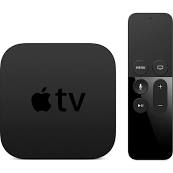
And as a third act Steve talked about Apple’s hobby. AppleTV is now smaller, cheaper, and easier to manage. AppleTV was introduced in 2006 and was not a big hit. It wasn’t what the main stream user was looking for. The average user doesn’t want to think about syncing their device. So the new Apple TV doesn’t have any storage on board and no way to buy new movies or TV shows. Currently the Apple TV is rental only. $0.99 for HD TV shows and $4.99 for HD first run movies and the price goes down for movies as time goes on. Also Apple TV can stream content from any computer with iTunes on the network. It is equipped with HDMI, Ethernet and 802.11n wireless and comes with an aluminum Apple remote control. Streaming of Netflix and YouTube has also been added to the new AppleTV. Also with the new Airplay feature coming in iOS 4.2 you will be able to stream content from your iPhone or iPad to your Apple TV device at the touch of a button. This still gives users who want to buy a movie or TV show the ability to buy on the iPad and download it, then watch on the Apple TV. The one question I have is will Quicktime X see an Airplay feature added?
I have already placed my pre-order so I will have an in depth look at the new Apple TV when it arrives.
Many people were expecting a TV revolution this week that didn’t seem to come. There was no mention of the North Carolina datacenter and what it will be used for later this year and we still haven’t heard when FaceTime will be coming to iChat. There was no mention of apps on the AppleTV or a streaming TV show service. I would love to download apps for the channels I watch and just pay for the channels I like instead of everything. Apple can revolutionize TV just like they did with music and multi-touch applications on smart phones. But they apparently have decided to a take a slow steady approach.
Sunday, June 27, 2010
iPhone 4 First Look
The first thing you notice on the iPhone 4 is the weight of the handset when you first pick it up. The weight feels perfect it is more of a substantial tool than just another phone. The glass and metal looks like art, the feel is solid, and it is very comfortable in your hand.
The first thing you notice when turning the phone on is the new Retina Display is stunning. The higher resolution and In Plane Switching LED display lights up fast and is very bright even in direct sunlight making it easy to read. The 326 pixels per inch make the pixels so small most people can’t see them and images and text look like laser prints instead of images on a screen. None of the online photos did justice to the clarity of this new display. So far no other smart phone maker is using a screen with this many pixels per inch.
Once you swipe your finger to unlock the phone you get a feel for the speed of the A4 processor and the benefit of putting 512 Megabytes of RAM into the phone. While we didn’t see an expected jump in storage capacity the extra speed makes the phone far more capable than it’s predecessors. Even the 3G and WiFi is faster on this new phone requiring you to wait less time to download information and there is plenty of room for network performance to improve as AT&T upgrades its network.
Pictures and Video are amazing on this phone putting it nearly on par with higher resolution point and shoot cameras. The 5 megapixel sensor using larger pixels making it more sensitive to light takes great photos in lower light conditions and the bright LED flash on the camera helps with even the lowest lighting situations. More megapixels doesn’t always mean better images just bigger files. The camera can also shoot very clear 720p HD video so you can now leave the Flip cameras at home and use your iPhone to shoot, edit and upload videos right from your phone. If you are going to be shooting longer videos you may still want to bring the FlipHD camera along so you don’t use up all of your storage on your phone. With Music, HD Movies, Data, applications, books, PDF’s and Podcasts it seems as though the 32 Gigs of storage goes pretty quick.
The larger battery and more efficient A4 processor has helped the iPhone 4 battery life quiet a bit. Despite the fact I use the phone more and for longer periods of time I can make it through an entire day and not have to recharge the phone. Under very heavy usage on a Friday I got about 15 hours of usage before needing to recharge. Some of that time was a 2.5 hour Plants vs. Zombies marathon. On Saturday I spent a lot of time on the phone and using bluetooth as well as watching videos and showing off the phone to friends and I got another 15 hours of usage and without the gaming marathon the battery still had about 30% charge remaining when I started recharging it. I didn’t get the kind of battery life Engaget described but I had the bluetooth, wifi, 3G all turned on. With a little power management or just recharging while I am in my car or at my desk I don’t think battery life will ever be a problem again for the iPhone.
There has been some controversy surrounding the iPhones new antenna built into the frame of the phone and the talked about iPhone “Death Grip” that supposedly makes you drop calls. First I tested this at home with the bumper case removed from my phone and was unable to duplicate the issue. I live in a neighborhood that is close to an AT&T cell tower and I get 5 bars no matter what I do in the house. If I move to a location where I only have three bars and try this I do see a drop in signal strength but I am not sure if it is because of how I am holding the phone or other factors in the environment that might be influencing the phone. This isn’t a new phenomenon. All cell phones loose reception when you cover the antenna with something that can block signals like your hand or your head. To make sure I don’t have a problem and to protect my phones glass surfaces I opted for the Bumper case and in four days of using my iPhone I haven’t had a dropped call yet which says a lot since that has been a problem with AT&T for many years.
With iOS 4 on the iPhone we now have multitasking. While for the last couple of years I didn’t think I needed multi-tasking it is again a time saver. Saving the state of the application when I switch to something else and letting me come back right to where I was when I return saves me time in waiting for the application to be ready to go again and doesn’t compromise battery life. Also adding folders allows us to install more applications on our phones without loosing having some applications only available through a spotlight search. Initially the iPhone could support 144 applications. Then iPhone OS 3 came out and we could go up to 176 applications plus the ones that didn’t fit on a screen could be accessed from Spotlight. Now with folders we can have 2,112 applications visible on our phones. Again if you have more than that first of all how do you use them all and second you can find the ones not visible through a folder in Spotlight.
The background images you can choose for your lock screen and your desktop really give you something nice to look at while you are using your phone.
One of the most compelling and phone new features got a lot of ridicule from the tech and blog community when it was first announced and everyone criticized and said “who would want to video conference from your phone?” But now we have Face Time. While you are on a WiFi network you can call another iPhone 4 user and see them face to face and carry on a conversation with that person. It is great to see someone when you are talking to them and over WiFi the video is clear and the audio quality is excellent. You can even switch from the front to the rear camera at the touch of a button to show the caller what you are seeing or press it again so they can see you. The era of the Jetson’s have arrived. While we still don’t have our flying cars we do finally have an easy to use video chat. Apple has submitted Face Time to become an open standard and already relies on other open standard protocols to work. Now Apple needs to make Face Time work not with just iPhone4 but with iChat AV and encourage other vendors like Skype, AIM, Microsoft, and others to adopt Face Time as a standard and use an Open Directory system to allow us to talk with one another.
The potential for our communication to be revolutionized if anyone, anywhere and see and hear each other anytime, whether we are at our computers on our desks, our laptops in a cafe, or our iPhones at the beach. To be able to look someone in the eye and have a conversation even if they are thousands of miles away is a very powerful tool. Plus when you look our caller in the eye you know they are paying attention and not distracted by one of the many other devices that now vie for our attention in our lives today.
iBooks now runs on iOS4 and on the Retina Display on the iPhone4 it is easy to sit and read a book while having lunch or standing in line. The text is so clear and easy to read even at smaller font sizes it is no problem to look at the screen for long periods. When I got my first Amazon Kindle last year I started reading more because it was easy to carry several books around in a small lightweight device. A year later the iPad was introduced and then I could do far more than just read books and now with the iPhone supporting iBooks I can read anytime anywhere even if I didn’t bring my Kindle or iPad along with me. I can open any electronic book in my library read a few pages and when I get back to my Kindle or iPad they update to the most current page I have read and I can pickup where I left off. Just like with Podcasts, Movies, and AudioBooks on iTunes, iPad, and iPhone.
In short the iPhone4 has revolutionized Smart Phones and mobile communications again and it will likely be sometime before handset manufactures catch up to Apple again. By then who knows what will be coming next but stay tuned and we will find out.
Sunday, June 13, 2010
WWDC 2010 Keynote
iPad
First Steve made a quick mention of what a huge success iPad has been selling over 2 million units in just 60 days. Now with international shipping underway that number is sure to skyrocket just as fast as Apple can make these fantastic devices. I think John Dvorak is going to loose his bet toLeo Laporte on Apple selling five million iPads in the first year. We will probably make that number in six months.
The iBooks application already has a 22% ebook market share in just the first 8 weeks. Amazon got us excited with the Kindle and whetted the publics appetite for e-books and while I still like and use my Kindle the iPad just does so much more and now that is the device I never leave home without. Now Apple is adding the ability to read PDF’s right in iBooks on our on PDF Bookshelf and giving us the ability to take notes right on our PDF’s and Books as well as bookmarking and highlighting the text. iBooks is ready now to be the killer app for education in the 21st century. Apple has also included wireless syncing of all of our books, PDF’s and our data between iPhone, iPad, iPod Touch, and I am hoping someday a desktop app which will allow me to consume my content where ever, when ever and how ever I choose.
App Store
In Steve’s speech he mentions that iOS supports two platforms HTML5 and the App Store. HTML5 is a fully open and uncontrolled platform. Anyone can develop anything they like and run it in the Safari browser. The App Store is a curated platform where Apple vets the Applications before they are placed in the store for sale. Apple gets 15,000 apps a week that are submitted in up to 30 languages. According to Apple 95% of apps are approved in 7 days. Steve went on to mention the top three reasons an application doesn’t get approved.
1.) The app doesn’t function as described by the developer
2.) The developer used private API’s which could result in a program failing after a software upgrade
3.) The App Crashes.
Still there are issues with a few apps that get pulled for strange reasons such as the political cartoon application which was rejected for reasons of content and later was put back in the store when the developer appealed the decision. Or the Pulse Application for the iPad that was pulled because The New York Times demanded it be removed for containing copyrighted material. It was taken down, the developer removed the sample RSS feed that pulled New York Times content and the app was back in the store later in the day.
I would like to hear from any developers that read this blog about their experiences submitting to the app store. Both positive and negative to get the perspective of those that deal with the App Store on a regular basis. If I turn it into a follow up column later you will of course be anonymous.
New Apps Coming Soon
Netflix for the iPhone coming this summer for free. Netflix is using adaptive bit rate technology to adjust video quality based on network speed and allow you too seamlessly switch between wifi and 3G.
AT&T capping data will really put a damper on this application. You can stream movies over wifi with no problem but just a few movies on the Pro plan and you could blow your data usage for the month. I have and I am keeping my unlimited data plan for my iPhone which is good for me but with multi-tasking and NPR streaming apps, Pandora streaming apps, and Netflix streaming those that have to spend a lot of time on 3G might find they get unreasonably large bills from AT&T or don’t use the capabilities of their phone for fear of going over their cap. This is just another way AT&T is holding up the progress of technology and failing their customers. I have already gone over that in depth in Is AT&T Business plan to give away all of their customers to the competition?
Zynga is bringing everyones favorite Facebook time waster FarmVille to the iPhone. Now you can work your farm while you are in line at the bank or out at a bar with your friends. Send a friend a gift in FarmVille with them sitting right next to you. Zynga has 35 million players playing games daily and over 70 million players of FarmVille per year. Over 200 million gifts per day are given in FarmVille and will be on the iPhone by the end of June. We are evening getting an option for a tractor and a pet Snow Leopard for iPhone FarmVille players.
Guitar Hero is also coming for the iPhone. The demo may have not done it justice and since I myself have never played Guitar Hero at all I didn’t really understand the game play experience they talked about in the demo.
iMovie is going to be available next month on the iPhone 4 for $4.99 and give users the ability to edit their videos, add transitions, add titles, and edit the audio in your video before uploading it to You Tube, sending it via email, or other uploading options.
iPhone
Neilson Statistics reported that the Smart phone market broke down in the following way:
35% RIM
28% iPhone
19% Windows Mobile
9% Android
9% Others
For just being around three years now starting on their fourth year to be second only to RIM maker of the Blackberry line of phones is an impressive feat. Particularly given the fact AT&T seems to really be holding Apple back on sales. In a recent report 16% of Verizon customers would buy an iPhone if it were offered on Verizon’s network. That is a huge number of potential customers untapped due to AT&T’s exclusivity deal with Apple to carry the iPhone.
Once the agreement ends and iPhone becomes available on other carriers iPhone could potentially control the smart phone market.
iPhone 4
The new iPhone sports a glass front and back with a stainless steel band around the phone. The new iPhone 4 is 28% thinner than the current 3G and 3Gs iPhone making it the thinnest smartphone on the market. The new glass front and back is made from the same glass that is used in helicopter canopies and high speed train windshields. That with a new process to strengthen the glass is supposed to make it 30 times stronger than plastic. Hopefully that means our phones will not scratch as easily. While my phone screen has never been scratched the plastic back is pretty scratched up from my keys in my pocket and the dock connector in my car.
The new Retina display just couldn’t be fully appreciated on the video. Apple had a special high resolution projector installed for the presentation so people in the audience could see the difference between the old displays and the Retina display. The new Retina display at 326 pixels per inch is such a high resolution display most people can’t differentiate the pixels at 12 inches from the phone. With 4 times the number of pixels and the IPS LED backlit screen on the new phone the screen is sure to look stunning.
With the new A4 chip in the the iPhone the new phone will be faster and more power efficient. With the speed of my iPad I can’t wait to get my hands on the new iPhone 4. While the phone is slimmer they were able to increase the size of the battery to give us about 7 hours of talk time, 6 hours of 3G browsing, 10 hours of wifi, 10 hours of video playback, 40 hours of music or 300 hours of standby.
The antennas are part of the phone structure. The frame of the phone is the stainless steel band around the outside of the phone also serves as the two antennas. One antenna is for the Bluetooth and 802.11n WiFi and the other antenna is is for the cellular and HSDPA which no supports 7.2 Mbps down and 5.8 Mbps up when carriers upgrade to support those speeds.
There was no change in storage capabilities, the iPhone 4 comes with 16 GB or 32 GB of storage. With the explosion of downloaded music, movies, applications and the addition of a higher resolution camera and the ability to record HD video I think extra storage would have been helpful. Hopefully we will get some streaming options in the future for iTunes content we own so we don’t have to store everything on the phone.
The 5 Megapixel backside camera has an LED flash or the LED can be left on for shooting 720p HD video. The sensor is larger so it works better in low light conditions it is also backside illuminated to work better in low light situations. The iPhone software includes a 5x digital zoom and tap to focus in both still and HD video. iPhone 4 also adds Geo location information to the video while it is being recorded so you can remember where you took the video. The travel template also uses Geo location to give you the Indiana Jones sort of intro showing a pin on a map of where the video was shot.
A GPS, Accelerometer, compass and gyroscope for 6 axis motion sensing are available to the new core motion API. This will give the phone more information about where it is in space and make the iPhone more aware of its environment. This is going to be huge for gaming and advertisers will be able to tap into these functions to give users more useful information about the world around the phone.
Apple expects to sell 10’s of millions of iOS devices this year. The iPhone pre-orders start on June 15th and we will be able to pick up our iPhones on June 24th. Apple has dropped the 3G iPhone and moved the 8GB 3GS into the $99.00 spot and added a $199 16 GB and $299 32 GB iPhone in Black or White.
iOS 4
The new iOS 4 has 1500 new API’s for developers and over 100 new user features including multitasking done right. Even Steve pointed out while they were not the first to have multitasking they did it right. Double tap the home button to access the running applications. The apps when they are not in the foreground are saved out to the flash storage. If the application needs to keep some parts running like audio for Pandora Radio is controlled by Core Audio when the application interface is in the background. This way you get multitasking without sacrificing battery life. Part of these new API’s include a right swipe gesture on any app to reveal the audio controls for which ever app is sending audio to your headphones and allow you to fast forward, rewind, play, pause, or adjust volume.
With the explosion of applications and the ability to display 16 apps on a screen and 11 screens for a maximum number of displayable apps of 176 apps that just isn’t enough for the modern iPhone. So now we have folders. Simply drag an app onto another app and it will automatically name it the same name as the genre of application it is and you have a folder. You are free to rename the folder or add more applications if you like. Now we can have thousands of applications available on our iPhones.
Unified Inbox now gives us the ability to look at multiple inboxes at the same time. So we don’t have to swipe back and forth between our personal and business email accounts we can manage our digital lives in just one inbox just like on the Mac. To help keep everything organized they have also added message threading so you can keep track of a specific conversation. In keeping with the big business theme iOS 4 also includes better enterprise integration, better data protection, improved mobile device management, wireless application distribution, SSL VPN, support for multiple exchange accounts, and support for multiple search engines, now Google, Yahoo and Bing are options in iOS 4.
FaceTime is what is going to make the iPhone the must have device. Realtime video conferencing on the iPhone with a few initial caveats. iPhone 4 to iPhone 4 only and only works where there is WiFi in 2010. The good news is no setup required, works in portrait or landscape mode and can use the front or rear camera. Apple has already announced they are submitting FaceTime as an Open standard so that other phone manufactures and other software companies can opt to use it. I can see a world in the next two years where we can make video calls to iChat users, Skype Users, Android Phone users, Cisco Video Phone users and even Microsoft Live users and be able to have a face to face chat. Even the applications for the deaf are going to be astounding. The iOS upgrade will be available June 21st and will be free for all iPhone 3G, iPhone 3Gs, iPod Touch 2nd generation and newer, devices for free.
Accessories
Apple will be offering a new iPhone dock for $29.00 not any different from the 3G dock just shaped to hold the iPhone 4. Apple is also attempting their own case for the iPhone called bumpers and it wraps around the phone and come in five colors. Front and back are open to show off the iPhone 4.
What wasn’t said
Almost as interesting as what was covered in the two hour keynote is what wasn’t covered. No announcement of iPhone being opened to other carriers in the US. I remain convinced that will happen in the near future. That is why I think AT&T increased there early termination fees from $175 to $350. AT&T caping bandwidth, charging premiums and providing substandard voice services are pushing customers to want to move to other networks and keeping some people from buying iPhones in the first place.
Also Apple didn’t announce a new MacBook Air, Mac Pro, or iMac all of which were do for a refresh. There were also mentions of a new Apple TV which didn’t materialize and no mention of what the data center in North Carolina is being built for. Apple promised some big announcements this year right after announcing the iPad. Also conspicuously missing at the Developers Conference was any mentions of OS X 10.7. If Apple holds to their release schedule we should have an updated OS available between February 2011 and August 2011. So probably Apple will hold that announcement back for the next developers conference and give developers time to update applications prior to the release of 10.7. It would still be nice to see what they have planned. I expected there to be more announcements at the developers conference than we got.
Apple has the Moscone Center booked again later in the month, perhaps Apple has more announcements planned this year keeping them front and center in the news. January we had MacWorld, in February Apple announced the iPad, April and May the iPad is released with a lot of media coverage. Now June we have the iPhone 4 being released which will surely be heavily covered by the media. I am sure Apple will have more announcement this year that will keep them front and center in the public eye through 2010 easily.
Apple TV
The more I use the new Apple TV the more I like it. The previous model was likable and easy to use but we had no options for live content. N...
-
My consulting business has been growing and people are starting to ask if they can pay by credit card. I had a system I setup in 2012 but o...
-
Normally I just focus on Mac and iPhone tech. However I ran into this problem yesterday and spent hours looking for a solution so I thought...