Showing posts with label review. Show all posts

Wednesday, October 21, 2015

The Magic of Apple's Newest Keyboard & Trackpad


Last week early orders of the new Apple Magic Keyboard and Magic Trackpad started arriving at door steps even before they started arriving in stores. I have now spent a couple of days on the new Magic Keyboard and Magic Trackpad and here is what I have found.

The keyboard with the new internal butterfly mechanism and larger key caps feels very nice to type on. Quick lightning charging and simplified paring makes it an excellent keyboard for daily use. It came nearly fully charged and I plugged it in for a few minutes to see the new auto pairing feature. Only time will tell how long internal battery will last but in four days I haven't seen the battery percentage drop at all yet. 

Taking it out of the box and plugging it in to the computer with the lightning cable made the keyboard automatically pair with the computer making it even simpler to setup than going to Bluetooth and entering the six numbers that appear. 

Plus who hasn't had that moment when they realized they needed a new keyboard and mouse and had turned off the feature to automatically open the app to connect a keyboard and mouse when one wasn't detected and been stuck going to look for a wired keyboard and mouse to setup the wireless ones? 

Well now just plug it in and it pairs and is ready to go. Then you can unplug it at your leisure. The thing some people may not like about the much thinner and smaller physical keyboard size is now like on the mobile computers the up and down arrow keys share a single key cap. Sorry gamers I know you won't be crazy about that. Even I am not a huge fan of it. Although now my laptop and desktop keyboards have the same approximate feel to them. 

It also struck me that Apple had an opportunity to add a finger print reader to the keyboard or trackpad and didn't do it. I can unlock any other iOS device and use credit cards with my finger print. I really would have expected to see the keyboard include a finger print reader so Wallet can be used from my desktop and finally be able to use Apple Pay from my desktop. 

The TrackPad is a huge improvement. It has a much larger surface area and features Force Touch. Allow users to have left click, deeper left click, right click, and a whole host of gestures to make the desktop more useful. As developers start taking advantage of Force Touch I am sure we will see it more in desktop applications. It takes a little getting used to the Force Touch feature as I occasionally end up clicking too hard when trying to drag a file somewhere and force touch instead of left click by accident. I am sure it is an adjustable setting. For now I am just trying to get used to lightly tapping on the trackpad to see if I get used to it before I start changing settings. I try to test out the defaults first to see how it works before I start customizing the experience. 

Overall the new Magic Keyboard and Magic TrackPad has made my two year old iMac feel newer and give me access to all of the features of OS X 10.11 and I am sure as time goes on we will see more features take advantage of Force Touch. 

Now the new Magic Keyboard is a price jump of about $20 to $99 and the Magic TrackPad increased in price from $69 to $129 a $50 price increase over the previous models. So far I have only replaced two of the three keyboards and trackpads I use given the price jump. However, I believe the devices are worth it given you will not be buying replacement batteries again and given how long the previous models lasted these new devices will likely last many years to come. So think of it as a long term investment in your technology and it is the piece of technology you touch as much as or more than your smart phone so it should feel good to use. 

Tuesday, May 12, 2015

Two weeks and one trip with the Apple Watch


I will admit I have really been excited since the Apple Watch announcement to get a smart watch on my wrist to make my life easier. I was a little envious of my Android friends that already had smart watches. I didn't care that they looked clunky or cheesy. I just wanted access to data quickly on my wrist.

I eagerly ordered my watch on April 10th and hoped it would arrive on April 24th and to my delight it did come on Friday April 24th at 1:40 in the afternoon. By 2:15 I had it unboxed, paired to my phone and begun the task of configuring my watch.

Setup was pretty easy and after asking it to mirror my iPhone for preferences I just had to wait for apps to install and the watch to be completely ready but I could wear it in the mean time. I thought the look didn't matter but after slipping the stainless steel watch with milanese loop on my wrist I realized the look does matter.

For the most part my watch goes largely unnoticed looking like a normal but somewhat large watch. When it gets attention is when I do something that a watch doesn't do and even a Android watch still lacks. Paying for purchases at the store with Apple Pay, or answering my phone when my phone isn't in easy reach just to name a couple of examples.

So far I use my watch as a quick way to:


  • triage my notifications
  • answer my phone
  • check a recent voicemail
  • pay at stores with Apple Pay
  • find a local Starbucks and pay for my coffee
  • request an Uber car
  • scan my boarding pass at the air port
  • check into my hotel from the car so everything is ready when I arrive
  • check the weather
  • monitor my activity levels
  • keep tabs on the weather
  • turn lights off and on in my home with Hue
  • as a remote for keynote or powerpoint
  • quick email triage
  • monitor my workouts
  • use Siri to set reminders and appointments
  • check what is next on my calendar 
I'm sure there is more that I do with it but it has become so enmeshed with my daily life I am already starting to not think about it. I just put it on as soon as I get out of bed and wear it until I am ready to go to sleep. 

The battery life is even better than expected. I have gone past 18 hours of using my watch and still had 25% of my battery left to spare. I haven't needed to use the Power Reserve Mode yet after two weeks of heavy use and charging nightly. 

A few things I found surprising in the watch was the ability to Ping my phone when I leave it somewhere. Something I do quiet a bit at home and in the office. Although less now that my phone doesn't leave my pocket nearly as much during the day. The phone and watch also mirror each other in Do Not Disturb and Airplane modes. Of course once you put it in airplane mode you will need to access both devices to get them out of airplane mode. 

The watch faces are delightful and while there are not many of them, they are all customizable and all look good. Mickey faces opposite directions in the morning and in the evening. The animations for the moon and the planets are very smooth and rolling the digital crown can show where the planets will be or were on a given date.

As for the things I am not crazy about, the load times for third party apps is quiet long. I am sure it is to preserve the battery life but wouldn't it benefit battery life more to load quickly so I can get back to whatever else I might want to be doing? I wish there was a setting to allow the user to set how long the watch face stays active when it is being viewed and to be a little more lenient when I put my arm down or change position to not think I have turned away and turn off the screen immediately. I wish the sensors on the watch did more. After seeing the new Jawbone UP 3 having temperature sensors to measure both ambient and skin temperature. As well as a bioimpedance sensor which could be cool add ons for the quantified self. I want my watch to tell me when I am getting stressed and encourage me to call down a bit.   

The things we don't know yet, will it be upgradable? I would love to see an Apple watch update program which would make sense for the price point and peoples tendency to keep watches. I know as Apple develops the watches they will get thinner and they styling will be enhanced. It would be great if people who wanted the new style could just buy a new watch but people who like the style they have be able to upgrade the internals when a faster CPU, more memory, improved battery, or more sensors become available. 

The OLED display is absolutely beautiful and is easy to read in bright light. The watch fit and finish feels like a very high quality and something I could wear for a long time to come. Overall it is a beautiful watch with a lot to like. Now that it is getting into the hands of developers something that is already useful is going to go crazy with possibilities. As time goes on Apple will loosen the reigns a bit and let developers take the watch even further. 

The Apple watch was an excellent 1.0 device from Apple and I am excited to see where it goes in the future and how it will tie in with HomeKit and other future Apple technologies. 


Wednesday, July 3, 2013

Samsung Galaxy Tab Review

While eagerly awaiting the release of iOS 7 so I can review it and publicly discuss it I decided to see what life was like on other other side of the fence. So I have spent the last week with the Samsung Galaxy Tab 2 to see how it really stacks up against the iOS universe I have lived in for many years. First the device itself feels nice until you spend a lot of time holding it. The 16:9 aspect screen is awkward for typing and holding for long periods of time.


This device is not running the latest Jelly Bean version of Android and is using the Samsung TouchWiz UI which seems to make the device harder to use than the competition. After installing quiet a few apps it seems hard to find applications easily without going into the search.

The Samsung keyboard was laid out so badly I immediately had to install the generic Google Keyboard to make it useable though the reach on that wide a screen is still a little awkward.

Speech recognition is fast and accurate reducing the need to use the keyboard as long as the user is in a quiet environment to use it.

Samsung seems to be canabalizing their own lines and competing with themselves. When I went to purchase the unit I asked for a Galaxy Tab 2 and the salesman who worked for Samsung not Best Buy tried to steer me into the Note 2 which is apparently very close in specs to the Tab. The note got a quad core 1.4 Ghz processor vs the Tabs 2 core 1Ghz. Otherwise they have the same screen, battery, and software.

The device is not running Jelly Bean at the time of this writing and according to sources Samsung will support Jelly Bean on this device but that is the end of the road. Just over one year after being released Samsung will abandon future software updates for the Galaxy Tab 2 and  apparently focus on other devices like the recently announced Tab 3 and Note 2.

The Play Store itself supports so many devices with different specs it is sometimes frustrating to find the right app. Users choose an app only to be told the device is incompatible with the app the user is trying to install.

 To date I haven't had any luck with setting up streaming to another device using DLNA or ShareAll features. This may be another limitation on TouchWiz like not supporting multiple user logins to a single device. Airplay requires no configuration and just works. Samsung will happily sell you yet another $99 puck to attach to your TV to stream content and mirror screens that only work with their tablet.

Third party apps do exist that should allow the device to use Roku Mirroring or DLNA. Some apps one would think should be available on the Galaxy Tab 2 are amazingly not available. Amazon Video Streaming reports as incompatible with the Tab.

The Samsung Galaxy Tab 2 requires a lot of fiddling and customization to make it a half way comfortable product to use. The stock Android experience would be far better on this device. I believe the device is too complicated for the average non technical user if they wish to stream video to TV's or do more than surf the web and check email it seems to require a lot more effort than the iPad or even the Google Nexus Tablets.

Using both my iPad and Galaxy Tab 2 together there is a lot to like about both devies. Some elements of the UI are pleasant to use while others need to be baked a little longer. Spacing of apps needs to be expanded and probably fewer per page to make apps easier to find.

Most of the things I liked about The Galaxy Tab are features that are generic Jelly Bean. I enjoy using Google Now, I like the speech recognition on the device and easy of accessing Speech Recognition.

I even spent a little time online with Samsung tech support to try and figure out a few of the features I couldn't get to work. Support just kept telling me the feature I wanted wasn't available on the Samsung Galaxy Tab 2. Maybe in the future the feature will become available.

It seems as though Samsung is slow to update their devies and not all devices even get updates even when they are only about a year old. If you want the real Android  experience users are better off sticking with other devices like the Google Nexus Tablet.

The Samsung Galaxy Tab 2 is probably fun for geeks that like to fiddle with their gear but if you just want it to work reliably and not have apps maybe work and maybe not then you may be best to stick with an iPad or at least a stock Android device.

For me I will be sticking with my iPad and iOS devices. I like the Google Apps on it  and still get access to Google Now cards. I might take another look at the Nexus as a second tablet. But if you are not getting the pure Android experience on the tablet you are not getting the most out your tablet.

Saturday, June 29, 2013

iShower Reviewed

The iShower from iDevices is probably one of the handiest devices I have ever reviewed. The first unit I tested was faulty and had to be replaced after a few weeks but iDevices RMAed it for me right away with no problem. In the few days I didn’t have my iShower it just wasn’t as much fun to take a shower. This device pairs with up to three devices over bluetooth and has a long range. It worked over 50 feet away from my phone and I got great sounding music. The iShower is water resistant, not water proof it can’t be submerged but it can hang in the shower or be placed pool side. The device can hang from a provided hook or be held by a fold out handle. Pairing the first device I found to be a little confusing but once I got it working the operation of the device was simple.


 The iShower will display the time if the clock button is pressed or the volume adjusted so you won’t be late getting to work if you start rocking out to music in the shower. The buttons are large and easy to operate with play/pause, forward and back in the middle and the up down volume on the bottom right of the device. I leave my iPhone on the dock in the morning to continue charging and when I turn the shower on I press power on the iShower and play to start whatever music or podcast I was most recently listening to the night before.

 The iShower runs on four AA type batteries and seems to have a relatively short battery life in my testing. After the first set of included batteries I switched over to rechargeable batteries. When a phone call is coming in the music will pause to alert you of an incoming call. The iShower doesn’t play the ring of the caller but if you happen to be close enough to your phone to answer it you can probably hear the ring anyway. As soon as the call goes to voicemail play back automatically resumes.

 What could be added to make the iShower more useful and fun? First better battery life and possibly a rechargeable battery system to save on replacing batteries and by switching to non replaceable batteries remove one more point water could leak in. I think a microphone and Siri button would be useful as well for those that have voice activated smart phones. Being able to change playlists or artists while in the shower would be fantastic. Caller ID display would be nice on the display as well so you can decide if you want to jump out of the shower to grab that important call.

 Overall the iShower from iDevices is a great device and I would recommend it to anyone who is a music lover and has a bluetooth device to play music. After my shower I can pause the music and pick up where I left off when I get in the car.

The iShower is $99 dollars and is available through http://www.ishowerin.com/ or from Amazon for $89 dollars. 


Nothing starts the day better than rocking out to some tunes in the shower and showers make everyone an excellent singer.

Tuesday, May 21, 2013

Omnis Web Hosting Not What It Seems

Normally I review products that I like and interest me so for the most part my reviews tend to be pretty positive. However, in this case I have to take issue with a company and write a bad review. The company is Omnis www.ommis.com I have been using them myself now for more than a year for my personal website, my podcast, and was so impressed with their pricing and promises I moved a technical group website, and the website of three companies I work for in my day job.

This means I have a total of three separate paid accounts with Omnis for these several sites. A couple of weeks ago I woke up to an email sent to me at 2:15am from Omnis telling me they were slowing down my websites because I had exceeded their storage limit. I went to one of the company pages to test and found it taking three minutes to load a single page. This made our three company websites and help desk ticketing system effectively useless.

Immediately I opened a chat with tech support. Tech support online told me my best bet was to call on the phone. So I called on the phone. I was told on the phone delete a site I didn't need I was over my limit. All the sites are needed and being used. I asked for a supervisor and was told I could only email a supervisor and they would get back to me in 24 hours. In Internet time that is forever for a site to be effectively down and not acceptable.

All through this process I kept asking about the unlimited claim they made on the website. Below are samples from the Omnis website abut the Unmetered Data claims. It states clearly on their main page unmetered disk storage space, and bandwidth data transfer in bold with an exclamation point.


On the next page where they list the price it is $5.95 a month for Linux cloud hosting which is a killer deal! In the hosting features it again states unmetered disk space, unmetered data transfer, plus other features of the service.


So when I inquire about the unlimited claims they direct me to the terms of service agreements. To find these agreements you have to click the small web hosting link at the top corner of the screen to get a pull down to go to the policies page where six different policy agreements live which of course I had to agree to them to use the service. Buried in section 7 of the fifth agreement is where they apparently try and define unlimited. 

This is a direct quote from the Omnis Web Hosting Service Agreement

Customer acknowledges that the real-time resources allocated for hosting service are dynamically allocated based on the amount of overall resources used by Customer. Real-time resources include but are not limited to bandwidth, MySQL connections, email connections, web server CPU, and web server RAM. Real-time resources may be affected by things such as, but not limited to, bandwidth and disk space used, the number or size of configured email accounts, the number of web sites configured under hosting service, or the number of or activity on connections to MySQL databases.
Omnis Network uses Network-attached storage devices to store Customer's files. The nature of this type of storage requires that Omnis Network limit the number of files Customer can store with the hosting service to prevent exhaustion of the total number of files permitted on the storage device. This limit is 81920 files. Customer acknowledges that this limit exists for all hosting service and can not be adjusted.

So if you are a customer and use more than the average resource of the other customers then your service this throttled with no warning. When I asked where these limitations are listed in the control panel I was told "they change all the time and are not listed anywhere". So you when you get the email and you have been hobbled then you know you went over your limit and it is too late. 

A week after I opened a support ticket well past the 24 hours window in which I was supposed to get a response I got the following email:

Dear Customer;

You may review the Web Hosting Service Agreement that you agreed to when you purchased your hosting account at http://www.omnis.com/policies/hosting.php

Section 7 explains how the resource allocation system works.  If you wish to upload files beyond the average usage of our customers, your available resources will be restricted.

In order to maintain unrestricted resources, you will need to ensure that you keep your disk usage within a reasonable amount.

Currently, we apply restrictions once a hosting account exceeds 6.05gb, however that number is dynamic and can change at any time.  If you cannot get your disk usage under that amount, you would need to purchase an additional hosting account to split up your disk usage to avoid the restrictions.

Thank you,
Jeremy
---------------------------------------------------
Omnis Network, LLC

After again explaining that one single website with a lot of images and very low traffic took 20 GB of space and there wasn't a way to break up the site across multiple accounts it seemed as though a basic site with a lot of photos was not something that Omnis could handle. I moved the site off to Host Gator who offers better customer support and an escalation procedure that goes all the way to the CEO of the company, now that's service. 

So I emailed the sales department to explain the utter failure of tech support in resolving my issue and the additional problems I suffered after removing one of the websites. The system didn't recover right away and with another call to tech support they said it would recover within an hour. Two hours later another call to tech support to be told it could take a few more hours the system that disables the websites can't be overridden and runs on a schedule. The next day we still had slow sites and I called again. That tech was able to run the job and make it remove the restriction from our account, which still only slowly returned over a period of hours. 

I got a response from the email to the sales team and it was Jeremy again from support with the following message:

Dear Customer;

I apologize if any of our policies do not work for your business.  All of our technical support representatives are empowered to make decisions and assist customers with the highest level of support, so when a ticket is escalated to management it is usually an emergency or requires an administrator to fix an issue.  That is where the "escalated tickets are normally handled within 24 hours" statement came from.

In your case, you simply wanted to express your displeasure with our policy, and did not agree with the support representative's solution.  Those policies are put in place by the owner of the company, and will not change.

You can view the policies at the page I provided.  I also clearly stated that the disk usage number at which restrictions occur is a dynamic number, so we cannot simply post that number for customers to view, since the number changes every second.

As a shared website hosting company offering website hosting for $6 per month, we cannot allow customer's disk usage to become so large that they dominate the resources available to the rest of our customers.  That is how shared hosting works, and we will not adjust our policy or make any changes at this time.

I understand that this type of hosting is not always the perfect solution for every customer, so if you feel that shared hosting is not providing you with the disk space and bandwidth necessary to host your large websites, you may need to look into a dedicated server option.

Thank you,
Jeremy
---------------------------------------------------
Omnis Network, LLC

Note at no time am I referred to by my name just a generic Dear Customer; and none of my interactions with tech support by phone or email indicated they were empowered to do anything. In fact all I ever heard is what they were not able to do. Once I even asked after they told me what they couldn't do I asked what they could do and they told me again delete my sites. 

 I went online and did some research on Omnis and other hosting providers and see a lot of unsatisfied customers with Omnis sounding off in various forums with similar complaints. That is what finally prompted me to write about this experience in detail and now when it comes to hosting I tell my readers here, my consulting clients, my podcast listeners, and anyone else who wants support for websites DO NOT use Omnis. Choose a hosting company that provides tech support with escalation methods if you can't get help. Read the fine print and make sure unlimited is truly unlimited you don't want your website to be hobbled because it grew or became popular. 

Hostgator.com offers excellent support and reasonable prices.
Godaddy.com offers excellent support and reasonable prices. 
sqarespace.com offers excellent support, great tools, and reasonable prices. 

There are a number of companies out there that can meet most users web hosting needs. Just make sure you read the fine print and the control panel has a method to monitor any limits so you can be aware of the situation before you reach the limit and not be notified until after it is too late. 

Also hold your providers feet to the fire if they make claims that are not true. If they claim it is unlimited fine let it be unlimited. But if their are limits make them clear, easy to find, and easy to monitor so we aren't surprised. Don't settle for your web host over promising and under delivering.

Sunday, March 25, 2012

Yoink! Reviewed

ScreenShot2012-01-22at9.59.17AM-2012-03-25-20-18.pngYoink is a tiny app with a big place in my work flow. As applications go Yoink doesn’t do much but it is now something I recommend to everyone who uses Lion and likes running apps in Full Screen mode. To use Yoink simply download it from the App Store for the low price of $2.99 and launch it. I can’t stress enough you should put this in your login items so it starts every time you startup your Mac.

When you grab a file from your desktop or from Mail in full screen mode or anyplace where you click and drag a file a gray box will appear on the portion of the screen you designate in Yoink’s preferences. Drag the file to the gray box and Yoink will hold it for you while you move to different desktops or to different full screen apps. Then just grab the file and drag it to the app you want to use the file on.

For example you are working in email full screen and someone sends you a file attachment in Mail. Drag the file attachment to Yoink and move to the screen you want to use the file attachment on. Say you are going to your main desktop and dropping a photo on Pixelmator to do some editing. Once on your desktop just grab the file from Yoink and drop it on the Pixelmator icon.

Yoink even had a quick look button so you can preview your document if you have more than one being held by Yoink. Once you clear your files out of Yoink it quietly disappears. You can even set how long you want the window to appear when you grab a file. I opted to stick with the default 5 seconds.

The only thing I would change about Yoink is you only get two choices where to put the Yoink dock. Center left or Center right. I would love to be able to put it at the top, middle, or bottom of the sides of the desktop. Yoink was updated after I had written this to include additional positions for the Yoink Window. Top and bottom of the screen is now available! Great job and this is an app I can truly no longer live without. Everything else about this app is a perfect addition to my workflow as I start using more and more apps in full screen modes, Yoink will be the one application I absolutely cannot live without.

Note: The text in blue was added after the initial review was released.

Tuesday, March 20, 2012

The New iPad

images-2012-03-20-20-18.jpegThe iPad is just starting its third year on the market and now the third iteration of the hottest tablet computer in the world. At first glance this revised iPad may seem a little ho-hum. But after a weekend of using it, I just can’t get over how amazing the graphics look. iOS 5 has made this not just a content consumption device but has made this a device that is just as capable at creating content. For most users they may not even need a laptop anymore.

In the announcement just over a week ago, Apple announced they had sold more iPads than HP, Dell, or Lenovo sold computers. This device is perfect for reading email, reading books, watching movies on the go, and creating content.

Equipped with a 42 watt hour battery almost double the battery of the previous generation we still get 10 hours on wifi or 9 hours on 4G. It does take longer to recharge this much larger battery. I just toss it not he charger when I am at my desk or whenever I think about it. I don’t want it to run totally dead anymore due to the amount of time recharging takes. For the enhanced graphics of the retina display and performance of the quad core graphics it is totally worth it.

The Retina display is just stunning making movies look crystal clear on the 9.7” display. Text looks as sharp as a printed page. You truly have to hold on in your hand and use apps that are designed with the new retina display in mind.

The camera while most people might feel silly holding up the iPad to take a picture has an astounding camera. Great if you are caring it along and you need to take a quick shot. The large screen really shows you immediately the quality of your image in a way a small screen on a pocket camera or smart phone just can’t seem to quiet capture. Who hasn’t taken a picture and thought it looked good on the camera screen or smart phone screen, only to load it on your computer and find something wrong with it? The lens process designed for the iPhone 4S paired with a 5 megapixel sensor makes just magnificent images.


Since the device is only 1mm thicker than the iPad 2 existing cases will still work with the tablet so there is no need to give up your favorite case to upgrade to the new iPad. Apple also delighted the press by announcing the 16 GB iPad 2 will be sticking around at a lower price point. People buying their first iPad can now get one for $350.00. I think this will pretty well kill most of the Android tablets slated to come out this year. If Apple shaved another hundred off the price they could likely kill off the Nook, and Fire tablets while they were at it.

Don’t get me wrong I want to see other tablets in the market and would like to see them do well. It pushes Apple to keep innovating and making a better tablet for those of us who use them. I am just not sure any other tablet maker has something ready that can compete with it.

The 4G LTE chipset is smoking fast with 10MB down and 5MB up speeds on Verizon. In a series of surprise tweets over the weekend I was pleased to learn that if you buy an AT&T or Verizon iPad you are not stuck with that carrier. A simple microSIM swap and you can use either carrier. If you happen to travel to Europe you will be relegated to 3G speeds since Europe’s LTE network uses different bands requiring different chips. Hopefully someone will come up with a Global Chip that can handle them all to solve that, perhaps in a future iPad.

In a test a few weeks ago I attempted to spend an entire work day while traveling to just spend it on my iPad and not breakout the laptop computer. I found that on the iPad 2 I was able to work a little over a 10 hour day. Keep up with my email, configure about a dozen airport extremes, remote control several computers, update support tickets, have a few Skype calls, do some writing, and iMessage with several people all throughout the day and had no problem doing it. Once I mastered the four finger swipe left and right to jump between apps or the four finger swipe up to select an app that was used several app switches ago, I got quiet quick at moving around and was able to get a lot of work done. WIth more AirPrint printers being made I was even able to print documents without my computer. During one trip the hotel printer on the wireless network had AirPrint and I was able to print my boarding pass right to it with no hassles at all. I was able to go the whole day without my laptop. With the new iPad this should be even easier.

As far as early reports of heating is concerned, I haven’t noticed a problem. I don’t play a lot of games on my iPad and when I do they tend to be casual games and not particularly graphics intensive. I may pick up a game for testing purposes of course and see if it really does heat up. But I have not yet noticed any such problem under normal usage in average temperature conditions.

So I would say the new iPad is a hit and Apple’s numbers today seemed to prove it. Over three million iPad’s sold on the opening weekend and availability in more countries in the next couple of weeks. It seems Apple is poised to break more records yet.

If you have an iPad 2 don’t worry. Unless you want the higher resolution screen or LTE network capability the iPad 2 is still supported and should remain popular at the lower price for a long time. The original iPad is still supported but with only 128MB of RAM may start seeming sluggish as newer apps demand more memory. So if you are on the iPad 1 this might be a good time to think about upgrading. If you are on the iPad 2 you could give it another year if you aren’t particularly eager for the new features.

Overall I am extremely pleased with my new iPad and look forward to what other announcements Apple has up their sleeves for us next.

One parting question for my readers today. How do you use your iPad? Is it a work tool? It is a toy? Does it replace your laptop? Feel free to leave your comments in the comments field below.


Sunday, October 3, 2010

Apple TV First Look

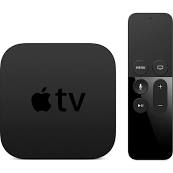
photo-2010-10-3-16-54-2010-10-3-16-54.jpegFriday was the big day, after nearly a month of waiting the new Apple TV arrived at our doors. The first thing I noticed is that is was smaller than I thought it would be. The box the HDMI cable came in was bigger than the Apple TV box. The entire unit is just a little bigger than an Airport Express. On plugging it into the TV it took a few moments to boot and ask what language did I prefer and start walking me though connecting to the wifi. 

As soon as it was on wifi I could use my iPad or iPhone as a remote control. Making searches far easier by providing a full keyboard. The Apple Remote software also provides gesture support for controlling the Apple TV making me think their have to be more applications coming for the device in the future. 

TV viewing is a pleasant experience despite the fact it only supports 720p and there is no option to upscale to 1080p watching Netflix and streaming movies from my computer looked good. In fact it was hard to tell the difference between what was on my DirecTV DVR and the Apple TV. 

According to ifitxit.com and their tear down of an Apple TV the new unit has 256 MB of RAM and 8 gigs of storage with a slot to add more storage. Perhaps Apple will offer higher capacity Apple TV’s in the future? For now you can setup your Apple TV to display your photos as a screen saver through iTunes and the photos are uploaded and stored on the AppleTV and not streamed. 

Fast forwarding and rewinding is a little slow but certainly useable while streaming content. It seems to buffer quickly and resume playing when you skip around within content. Netflix displays fast forwards and rewinds as a thumbnail in the center of the screen. Streaming from iTunes you can jump to chapters just like a DVD. 

Airplay at the moment seems to only work with audio. Apple advertised video streaming via Airplay but not until this November. I am betting an Apple TV software update will be required to make it work. 

I also ran into two odd router freezes my first day of heavy movie and TV viewing with the AppleTV causing me to reboot the Airport Express in the living room. It has never done that before, however the Airport Express extends the network to the office and constant streaming of movies plus traffic from the iPad and a laptop may have been too much. I tired switching to the 2.4 Ghz network connecting directly to the Airport Extreme in the office and haven’t had an issue since. 

It seems as though the Apple TV isn’t finished yet as it is lacking a few features that would make the device a must have for the digital living room. Hulu Plus support, ability to buy movie tickets online, Ping support, ability to send content to your TV from Quicktime X via Airplay, as well as TV and movie studio applications allowing us to access their content. This last item would prompt me to get rid of satellite and watch all of my shows on demand direct from the content creators and would make the Apple TV as hugely successful as the iPhone. The final major update that will make Apple TV the killer application would be a USB camera and microphone to connect to the miniUSB port for FaceTime calls on the TV. Allow Grandma to sit in her living room and talk to the grand kids on their iPhones and iPod Touches. 

Apple still obviously thinks of the Apple TV as a hobby and the studios are not yet sure they want to go the on demand route. I think customers are ready for it and the technology is there and only requires some tweaks to software to make it a reality. At $99 for the device that just sips power, makes no noise and takes up as much space as an iPhone makes it a worth while investment. I think Apple sales on these will be far above the previous Apple TV’s and it just may be the start of a revolution in television. The question is can Apple get the studios to come along? 

My recommendation is if you love renting movies and TV shows, have a Netflix account, and content on your computer you want to move to a TV this is a great device to add to your home and at $99 you can’t go wrong.

Sunday, April 4, 2010

iPad First Look

IPad First Look


Apples new iPad is a revolution for the tablet computer and is likely to do for the tablet market what the iPhone did for the wireless market. The iPad is already shipping with quite a few apps optimized for it's bright sharp 9.7" LED backlit IPS (In Plane Switching) display. the screen is nice to look at and easy to read. That coupled with a 10 hour battery life really makes the iPad a work horse that easily outshines most net books with a few easily correctable limitations.

Display

The display on the iPad is bright and clear. It looks great even outdoors while wearing polarized sunglasses. Without the sunglasses you get a lot of glare on the screen but next is still readable. The downside of the display is finger prints. Despite a oleo phobic finger prints and smudges occur all over the screen. They are not really visible until you turn off the display. Clean up is easy just wipe the display with a soft cloth or against your shirt and the smudges brush right off. Apple should have included a micro fiber cleaning cloth with the iPad like they do with all of their other notebook computers.

Keyboard

The on screen keyboard is certainly useable and while I can't quiet touch type on the screen like I can on a real keyboard i think with a little practice I might come close. I am actually writing this review in Pages for the iPad with the on screen keyboard. With built in bluetooth you can also use a physical keyboard if you have a lot of typing. Holding iPad in portrait you can reach all of the keys with your thumbs. In landscape they keyboard is nearly the size of a real keyboard so laying the iPad on your lap or placing it on a table and typing is the easiest way to use that keyboard.


Movies

It has been great for watching movies even without headphones in a quiet room the speaker sounds surprisingly good for a device that is that small. It is thin and light weight although without a stand it does get uncomfortable to hold after about an hour. Netflix is the killer app in this category at the moment. Being able to stream any movie that is available in their library to any device is a cool feature. Currently I can stream Netflix to my iPad, PS3, Wii, Mac, and coming soon iPhone. The CEO of Netflix has already commented they look to not have a need to mail DVD's to customers in the next couple of years. They also announced HD streaming coming this year.

Sling Player is also available for the iPad and rumor has it that Hulu will be coming to an iPad near you soon.

Books

The e-book reader is an elegant app that gives you a very book like feel. I quickly forgot about the device and just settled NGO by book and started reading. Just tap on a word to see it's definition and double tap to set a bookmark. When you are done tap library and your book flies onto shelf and remembers where you were. The ebook store opened with 60,000 titles about 30,000 of which are free titles from project Gutenberg. pricing is about the same as what we saw on Amazon but the navigation on the iBook store leaves much to be desired at the moment. The search feature will take you right to the book if it is the library. They do not yet seem to have a way to add an ebook to your wish list or to gift a book to someone. The good news is if you use iTunes home sharing your books are shared with other members of your household which is s plus. 


The Amazon Kindle Reader for iPad doesn't look as nice as iBooks but it is functional and syncs with the iPhone Kindle app, the Kindle and the Kindle for Mac and PC giving you more flexibility about how and where you read. Plus you can buy Kindle ebooks on the Amazon store on the web and they just appear on all of your devices via whisper net. I am sure Amazon will work on the visuals to make the app more attractive on the iPad. I am not ready to get rid of my Kindle in favor of the iPad. At this time it will be another device I will use to read books in addition to the iPad.

Apps

Quite a few apps have been available on day one. I have loaded about 30 so far with more coming every day. With the extra screen real estate it has allowed developers to really get creative with what is possible in the User Interface. There are a few things the iPad does better than the iPhone due to it's size and a few things it does better than a laptop due to it's size, portability and touch interface.

Kleiner Perkins has also offered $200 million to iPad app developers as an investment into new and innovating applications. I think the run away success of this device will come next year when developers really have a chance to re-imagine computer human interaction.

The News


I woke up first thing this morning and without having to step foot out my front door I picked up my iPad and perused USA Today, The Wall Street Journal, and AP Newswire all over mooring coffee and never hand to step foot out my front door to pick up a dead tree edition. While I am reading I can post interesting articles right on Facebook, Twitter, or send it out in an email wit ever having to leave the application. USA today looks just like a newspaper down to the saw tooth page edge at top but updates based on location so I just see my local weather. Stock updates will be coming later right on the Money page. Wall Street Journal looks like a news paper but includes when it was updated in the tag line and also integrates video right into the page. It isn't quite the auto updating smart paper in Minority Report but we are getting close. The AP Newswire took a totally different approach with summaries floating in little boxes on the bottom of the page you can slide around and video clips you can tap and play. All these options are great approaches to sharing the news and if local papers jump on board and keep subscription prices under the print editions this might actually help save the news paper business after all.

To 3G or not to 3G

That is the question. In order to get one in my hands quickly I opted to go with wifi only. On the first day we took our iPads out to eat. The rester aunt we choose happened to not have wifi seriously limiting what our iPads could do. That being said I use fairly little 3G data monthly with AT&T since most of the time I happen to be around wifi. Most of the time I will hardly notice the lack of 3G and GPS in the wifi model. First to have the 3G I would have to wait another month and pay an extras $130 for the device. Plus buy a 14.95 250 GB monthly plan or 19.95 a month unlimited data plan (no contracts) but still I already pay for a data plan for my iPhone why not just use tethering? AT&T is not allowing us to tether any device to our iPhone. I don't want to pay for a data plan for three devices iPhone, iPad, and Macbook Pro so if I decide I need to use the iPad for data when wifi is not available I will look at alternatives like Sprint 4G Overdrive or Verizon mi-fi cards where I can tether my laptop, iPad, and usually up to 5 devices to get online. Also jail breaking the iPhone and tethering is an option for those who wish to do so.

Web Surfing

The web surfing experience is good on the iPad. The browser is fast and pages load quickly. Sites are quickly creating iPad optimized versions that are free from Flash and Brightcove the company that provides streaming video to many newspaper sites announcing they are moving from Flash to HTML5 we should see fewer and fewer of those missing plugin icons as Flash slowly goes away.

The Good

With an amazing screen, processor speed, and battery life the iPad is a very capable and reasonably priced device that will have a prominent place in my daily work flow. While on my desk it can be a large digital photo frame, while at Coffee Bean it can be my word processor, web browser and place to store notes. I always have my library of books at the ready in case I have an odd moment to read. I am waiting to see some nice audio recording apps for mobile podcasting on this platform. The sky is really the limit with this device.

The Bad

I have to harp on Apple for the closed file system and no built in PDF reader/editor. you can open and view PDF's in email but that is it. When I connect my iPad to my computer I don't get a drive on my desktop to drag and drop files. That is a huge oversight I hope to see corrected. I would also like built in access to my iDisk so I can store documents on MobileMe and move seamlessly between working on a document on my desktop, laptop, and iPad. Getting documents out of Pages on the iPad and into the the computer isn’t very intuitive at all and could easily result in having multiple versions of a document. I haven’t seen a way to auto sync them yet. This feature is going to need a lot of work yet.

No iPad, iPhone sync to iTunes over wireless. We have been asking the iPhone to do this for years and we do get wireless updates for contacts, calendar and email but I want to see music, movies, and data work this way. I want to play Plants vs. Zombies on my iPhone while waiting in line for my coffee and when I return home my iPhone tell my computer it has an update and then update my iPad so when I pick it up I can pick up where I left off.

Every Apple display and laptop ships with a camera to use Apple's iChat program. It is a useful cool for chatting and collaborating with colleagues. While we do have AIM text chat on the iPad and Skype will be coming soon to the iPad I really feel the iPad is missing out on the ability to video conference from anywhere. How cool would it be to be able to see and hear anyone from anywhere anytime? I could be sitting on a tropical beach somewhere and with a tap of my iPad call up a friend and show them where I am hanging out at the moment or share live so breaking news or historic event.
Finally with all of the power the iPad has, multitasking for all apps needs to come to the iPad and maybe a beefed up iPhone sporting this fast Apple A4 processor.

Conclusion

The iPad is extremely intuitive to use and if you have an iPhone or iPodTouch then you know how to use this device. The iPad will certainly change the way I work and the way I am entertained. I will likely carry it with me almost everyday and sometimes even opt to leave larger laptop at home. It is certainly worth every penny and is almost a good replacement for net books once we have video cameras and printing built into the device. Apple said this isn't meant to compete against the net books but it really does and within a year has the potential to make the net book irrelevant if they can just give us a few more features.

For the haters out there who have been criticizing the iPad without first holding one and trying it for yourself you do not know what you are missing out on. Once you have had some time with it and imagine how you can use it you are going to love it.

Friday, February 12, 2010

MacGourmet Deluxe Review


The MacGourmet Deluxe is iTunes for recipes.  It is a easy to use Kitchen Management System for the rest of us.  With a few simple controls across the top of the Window and a simple search bar allowing a search on any or all fields to find the recipe you are looking for just like your music. 
        
This is a very powerful and easy to use tool for storing recipes, planning menus, building cookbooks, managing nutrition or anything else an amateur or professional epicurean can dream up.
        
With user created Recipe Books and Smart Recipe books you can store your recipes in any way you like or have the computer keep track of recipes based on the criteria you set.  One of the default smart recipes books is Recipes I Have Prepared.  So you can mark an item as prepared so you can track what you have made in the past. 

MacGourmet comes with some recipes already built in and you can always add your own recipes or click on the Featured section to find new recipes from Mac.Gourmet.com.  If you find a recipe on the web you like.  Just highlight it, click Services, Mac Gourmet, and Make a Text Clipping and the whole recipe is immediately stored in your Clippings folder and can be imported as a recipe card any time.  The import is not an automatic process it requires highlighting sections of the clipping and identifying it to the application but at least you don' have to retype anything.
        
The application also includes the ability to store notes about foods and wines you have eaten, keep historical shopping lists and make notes on where you can pick up those hard to find items.  This program is a gastronomic diary for the food and drink lover in you.

MacGourmet also supports the creation of shopping lists based on the recipes you select so you can just pick your recipes print your shopping list and head out to the store.  This makes the shopping task much simpler if you sit down and use the built in meal planner, you can plan your meals, build your shopping list and access the recipe when you need to prepare the meal all in one easy place.  For an additional $4.99 you can also add the iPhone or iPod touch application to your phone and share the recipes and lists between your desktop and handheld device.  I think for deluxe they should include the iPhone app for free. 

MacGourmet also lets you share your recipes on your MobileMe website right out of the application or send the recipe to friends via email.  There is Bonjour sharing component built in for those who have multiple Macs at home and you want to share recipes between them.
 
Once you are ready to head to the kitchen you have a few options.  The iPhone or iPod Touch add on app for $4.99, print the recipe on paper, or take your laptop to the kitchen and click on the Chef View.  This gives you a large print view you can read at a distance to keep your Mac clear of the work area and out of harms way while still making the recipes readable at a distance.

The application has a lot of power available but it does have a few shortcomings.  All of this data is of course stored locally on your PC but doesn't include a conduit for MobileMe syncing of its database.  So make sure you use a backup program so you don't loose your recipes and notes in the event of disaster.  Not including the iPhone app is a little disappointing.  I would love to be able to plan a meal and send the shopping list right to my iPhone or the iPhone of whomever is doing the shopping.  Not being able to send the list directly to email is a bit of a let down as well.  Mac Gourmet could benefit from some additional online access to list and store new recipes.  Perhaps Amazon could add some e-cookbooks for a low price to add to collections as well as a free downloadable web standard for recipes so surfers can just click and cook. 
        
This app is flexible and allows you to use as many or as few of the features as you like.  It is only limited by the imagination and training of its user.  I know this tool is a must have for this tech geeks kitchen.
  
Pros: 
         Easy to use familiar interface, lots of great features for the diet conscious, and comes with some great tasty recipes.
        

Cons:
         The iPhone App should be free for deluxe users, Easier import method for online recipes, a scanning feature to scan in existing paper recipes are definitely lacking.

Tuesday, January 27, 2009

MacHeads

The new movie MacHeads is now available on iTunes and Amazon.  It started out as a film talking about the most fanatical of devoted Mac fans.  What other computer could create such a devoted following?  It is interesting to see some of the examples of Mac devotees that make me look moderate.  I love my Mac and using a PC often feels like a punishment every time I have to sit down and work on one.  But some of these guys are really passionate about their computers.

Later in the film the focus shifts on to what Jobs has done for the company and nearly deifies him.  I like Jobs and wish him well in his recovery and hope he does return to Apple to lead the company into creating some more insanely great products and keeping Apple growing while he grooms a replacement that will be as capable as Steve Jobs.

The films most important point is the feeling the Mac community is falling to the wayside as Apple becomes more mainstream and as a company Apple is starting to ignore the Mac User Groups (MUGS).  

While Apple is focusing more on their retail stores and providing access to their Genius' to answer questions I don't think the Mac User Group will ever go away.  In the 21st Century Mac User Groups will just have to market themselves differently.  This will be a future blog topic I am sure.  When the Las Vegas Mac Users Group (LVMUG) contacts our local Apple Store they are always happy to send someone to talk to us about new products that have shipped or existing products  that may be of interest to our users.  

Overall with a runtime of just over 50 minutes it is an interesting film that all Mac lovers are sure to enjoy.  


Apple TV

The more I use the new Apple TV the more I like it. The previous model was likable and easy to use but we had no options for live content. N...